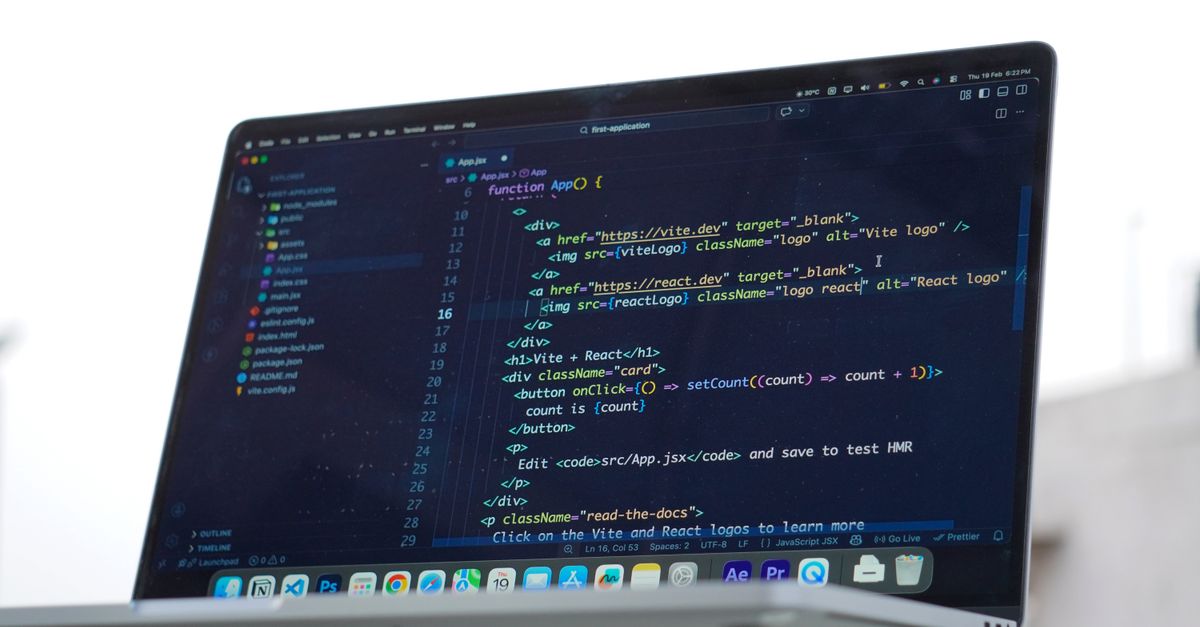
Unlock Innovation: Mastering On-Device AI for Mobile Apps
On-device AI is revolutionizing mobile applications by bringing intelligence directly to the user's device. This approach enables faster, more private, and highly personalized experiences, moving beyond cloud-dependent models for critical features. Discover how to leverage this powerful paradigm.
Sahil ChaudharyReviewed by a senior engineer9 min readMobile Development

The mobile landscape is rapidly evolving, with users demanding more intelligent, responsive, and private experiences. While cloud-based AI has dominated for years, a new paradigm is taking hold: on-device AI for mobile apps. By bringing machine learning inference directly to the edge, developers can unlock unprecedented performance, enhance user privacy, and deliver truly transformative features that were once impossible or too costly.
TL;DR: On-device AI integrates machine learning models directly into mobile apps, enabling real-time processing, enhanced privacy, and offline functionality. Key frameworks like Core ML, ML Kit, and TensorFlow Lite facilitate this, requiring careful model optimization and strategic implementation to navigate device heterogeneity and performance trade-offs for superior user experiences.
Key takeaways

- On-device AI significantly reduces latency and enhances user privacy by processing data locally, without relying on cloud servers.
- Developers can leverage platform-specific (Core ML, Android NNAPI) and cross-platform (ML Kit, TensorFlow Lite) frameworks to integrate AI capabilities.
- Model optimization techniques like quantization, pruning, and distillation are crucial for deploying performant models on resource-constrained mobile devices.
- Successful implementation requires careful consideration of device fragmentation, battery consumption, and effective error handling for robust user experiences.
- While powerful, on-device AI is best suited for specific use cases where privacy, speed, and offline access are paramount, and model complexity is manageable.
Why On-Device AI Matters for Modern Mobile Apps
In 2026, user expectations for mobile applications are higher than ever. Instant responsiveness, robust privacy controls, and seamless offline functionality are no longer luxuries but baseline requirements. On-device AI directly addresses these demands by executing machine learning models locally on the user's smartphone or tablet, rather than sending data to remote servers for processing.
Enhanced Privacy and Data Security
Perhaps the most compelling benefit of edge AI is the inherent privacy it offers. When data never leaves the device, the risk of data breaches, unauthorized access, and compliance issues (like GDPR or CCPA) is significantly reduced. This is particularly crucial for sensitive applications dealing with personal health information, financial data, or biometric authentication.
Reduced Latency and Real-Time Performance
Eliminating network round-trips to a cloud server means AI inferences happen almost instantaneously. This translates to incredibly responsive user experiences, whether it's real-time object detection in a camera feed, instant language translation, or predictive text suggestions. In a recent client engagement, we built a custom image recognition feature for a retail app. By moving the inference from cloud APIs to an on-device TensorFlow Lite model, we measured a 700ms average reduction in processing time per image, drastically improving the checkout flow and user satisfaction.
Offline Functionality and Cost Efficiency
Apps leveraging on-device AI can function perfectly even without an internet connection, a critical advantage for users in areas with poor connectivity or for features designed for travel. Furthermore, reducing reliance on cloud AI APIs can lead to substantial cost savings, as you're no longer paying for compute time and data transfer on remote servers, especially at scale.
Key Technologies and Frameworks for Edge AI
Integrating AI into mobile apps requires choosing the right tools. The ecosystem offers robust options, from platform-specific SDKs to versatile cross-platform frameworks.
| Feature | Core ML (iOS) | ML Kit (Android & iOS) | TensorFlow Lite (Android & iOS) |
|---|---|---|---|
| Primary Platform | iOS, macOS, watchOS, tvOS | Android, iOS | Android, iOS, Linux, microcontrollers |
| Model Format | .mlmodel | Custom models (TFLite, ONNX), pre-trained models | .tflite |
| NPU/Hardware Acceleration | Excellent, leverages Apple Neural Engine | Good, leverages Android Neural Networks API (NNAPI) | Good, leverages NNAPI and Core ML delegates |
| Ease of Use | High for iOS developers, integrates seamlessly with Xcode | High, offers ready-to-use APIs for common tasks | Moderate, requires more manual setup for custom models |
| Pre-trained Models | Limited built-in, conversion tools available | Extensive for common tasks (vision, text, language) | Requires integration with TensorFlow Hub or custom training |
| Custom Model Support | Yes, via converter tools (e.g., Keras, PyTorch to Core ML) | Yes, for TensorFlow Lite models | Excellent, primary use case for custom models |
For iOS-specific applications, Apple's Core ML framework provides deep integration with the operating system and leverages the Apple Neural Engine for unparalleled performance. On the Android side, the Android Neural Networks API (NNAPI) provides a similar low-level interface for hardware acceleration.
For cross-platform development, Google's ML Kit offers a suite of ready-to-use APIs for common tasks like text recognition, face detection, and image labeling, often with minimal code. For more complex or custom models, TensorFlow Lite is the go-to choice, providing a robust framework for deploying optimized models across various devices, including those with limited resources. Our teams frequently use React Native developers to integrate these native modules, bridging the gap between cross-platform UI and high-performance, on-device AI.
Model Optimization and Deployment Strategies
Deploying AI models on mobile devices isn't just about picking a framework; it's about making those models fit and perform within tight constraints. Strategies include:
- Quantization: Reducing the precision of model weights (e.g., from 32-bit floating point to 8-bit integers) significantly shrinks model size and speeds up inference, often with minimal accuracy loss.
- Pruning: Removing redundant connections or neurons from a neural network, leading to smaller, faster models.
- Distillation: Training a smaller 'student' model to mimic the behavior of a larger, more complex 'teacher' model, achieving better performance than if the student were trained from scratch.
On Android, you might configure a TensorFlow Lite interpreter to use NNAPI:
// Example for Android with TensorFlow Lite (Java)
Interpreter.Options options = new Interpreter.Options();
options.setUseNNAPI(true); // Enable hardware acceleration via NNAPI
Interpreter interpreter = new Interpreter(modelBuffer, options);
// ... run inference ...
This snippet demonstrates how to explicitly enable hardware acceleration, which is critical for performance on modern Android devices with dedicated NPUs. Without such optimizations, models can be slow and drain battery quickly.
Like this article? Help us grow.
Choose Krapton as a preferred source on Google to see more of our engineering insights in Search. You only need to click once.
Engineering Challenges and Best Practices
While the benefits are clear, building successful on-device AI applications comes with its own set of engineering hurdles. Our comprehensive mobile app development services often navigate these complexities for clients.
Device Fragmentation and Performance Variability
The vast array of mobile devices, each with different CPUs, GPUs, and NPUs (Neural Processing Units), means a model that performs well on a flagship device might struggle on an older, budget phone. Testing across a diverse range of hardware is non-negotiable. On a production rollout we shipped, the failure mode was subtle: an image processing model ran perfectly on newer Android devices, but on devices older than two years, it frequently timed out due to insufficient NPU support, defaulting to a much slower CPU fallback. Our solution involved dynamic model loading based on device capabilities and providing immediate user feedback on processing speed.
Memory Management and Battery Consumption
AI models can be memory-intensive, especially during inference. Efficient memory allocation and deallocation are crucial to prevent crashes and ensure a smooth user experience. Similarly, continuous NPU or CPU usage for AI tasks can rapidly deplete battery life. Implementing intelligent throttling, batch processing, and conditional execution (e.g., only running AI when the device is charging or idle) are essential best practices.
Error Handling and Model Updates
Models can fail to load, provide inaccurate predictions, or encounter runtime errors. Robust error handling, including graceful fallbacks to cloud-based alternatives or simpler heuristics, is vital. For model updates, consider over-the-air (OTA) update mechanisms (e.g., via Expo Updates for React Native apps) to push new, improved models without requiring a full app store submission.
When NOT to Use On-Device AI
Despite its advantages, on-device AI isn't a silver bullet. Avoid this approach if your application requires extremely large, complex foundation models that cannot be effectively quantized or pruned without significant accuracy loss. Similarly, if your AI logic depends on frequently updated, massive datasets (e.g., real-time global trends), or if strict, centralized model version control is paramount, a cloud-based or hybrid approach might be more suitable. The overhead of managing and deploying multiple on-device model versions can also become prohibitive for certain use cases.
Real-World Impact: Use Cases and Krapton's Approach
The applications for on-device AI are diverse and impactful:
- Personalized Recommendations: Learning user preferences locally to suggest content, products, or services without sharing browsing history.
- Enhanced Accessibility: Real-time sign language translation, object recognition for visually impaired users, or live captioning.
- Augmented Reality (AR) Filters: Instantaneous facial recognition and tracking for AR effects in camera apps.
- Smart Camera Features: Semantic segmentation, background blurring, and scene detection happening in real-time.
- Predictive Text and Smart Replies: Local language models offering context-aware suggestions.
At Krapton, we approach on-device AI development by first deeply understanding the product's core problem and user needs. We conduct thorough feasibility studies, benchmarking various model architectures and frameworks against target devices. Our AI development services span the entire lifecycle, from data preparation and model training to optimization, integration, and continuous monitoring. We prioritize performance, privacy, and scalability, ensuring the AI features we build deliver tangible value and a superior user experience.
FAQ
What is the difference between on-device AI and cloud AI?
On-device AI processes data locally on the mobile device, offering lower latency and enhanced privacy. Cloud AI, conversely, sends data to remote servers for processing, which can handle more complex models and larger datasets but introduces network latency and potential privacy concerns.
How does on-device AI affect battery life?
On-device AI can consume more battery due to continuous CPU or NPU usage. However, optimized models (quantized, pruned) and intelligent execution strategies (e.g., running only when needed or when charging) can significantly mitigate this impact, ensuring a balanced user experience.
Can I use custom models with ML Kit?
Yes, ML Kit allows you to use custom TensorFlow Lite models. This provides flexibility for developers who need to implement unique AI functionalities not covered by ML Kit's pre-trained APIs, while still benefiting from its easy integration into mobile projects.
Is on-device AI suitable for all mobile applications?
No, on-device AI is best for scenarios prioritizing privacy, low latency, and offline functionality, especially with moderately complex models. For very large models, real-time global data analysis, or applications requiring frequent, massive model updates, a cloud-based or hybrid approach might be more practical.
Partner with Krapton for Advanced Mobile AI Development
Leveraging on-device AI for mobile apps is no longer a futuristic concept but a vital strategy for building competitive, user-centric products in 2026. Whether you're enhancing an existing application or conceptualizing a new one, integrating intelligent edge capabilities requires deep technical expertise and a nuanced understanding of mobile ecosystems. Ship your mobile app with Krapton — hire a dedicated Krapton team to bring your innovative AI-powered mobile vision to life, ensuring optimal performance, privacy, and user satisfaction.