Machine learning
Computer vision development
We build computer vision systems that inspect products, detect and count objects, analyze video and capture data from documents, trained on images from your setting and deployed to the cameras, servers or phones where the work happens.
01 /
Vision models built for your conditions
- Python
- PyTorch
- TensorFlow
- OpenCV
- Hugging Face
- NumPy
- FastAPI
- Docker
- Kubernetes
- MLflow
- Gemini
A model that scores well on a public benchmark can still stumble on your production line, shelf or loading dock. Glare, motion blur, a new supplier's packaging or an unusual camera angle is often enough. Krapton builds computer vision around the conditions it will face, starting with images from your own setting and a clear view of which mistakes are expensive and which are tolerable.
Most projects fine-tune pretrained detection, segmentation or classification models on your labeled images, which needs far fewer examples than training from scratch. When a general vision-language model handles the task well enough, we tell you and use it. When volume, speed, cost or privacy calls for a dedicated model, we train one and optimize it for the hardware it runs on.
Results are wired into the process around them: a reject signal to the line, a count in your inventory system, a flagged image in a review queue. Monitoring then tracks confidence and class mix over time, so drift caused by new lighting, products or cameras is caught and fixed with fresh labels before it reaches customers.
02 /
Computer vision use cases we deliver
Tasks where a camera or scanner already sees what matters, and a model can turn each image into a decision or a record.
Visual quality inspection
Detect scratches, dents, missing parts, misprints and assembly errors on the line, with thresholds set by what a false reject and a missed defect each cost you.
Object detection and counting
Count items on shelves, pallets, conveyors or vehicles, check planogram compliance and track stock movement, using the cameras you already have where their resolution and angle allow it.
Video analytics for safety and operations
Watch live or recorded video for events that matter, such as a person entering a restricted zone, missing protective equipment, a blocked exit or a queue building at a counter.
Document and ID capture
Read printed text, tables, stamps and identity documents from scans and phone photos, correcting for skew, glare and low light before the data moves into your systems.
Image classification and visual search
Sort and tag large image libraries by product type, condition, damage or style, and let users find visually similar items by uploading a photo instead of typing a description.
Medical and dental image support
Highlight regions of interest in clinical images for a qualified professional to review, with the model positioned as a second look that supports the clinician rather than as the decision maker.
03 /
What you receive from a vision project
Labeling guide and dataset
Class definitions with examples of the hard cases, and the labeled images, which stay yours for future training.
Evaluation report
Precision and recall per class on images the model never saw, broken down by camera, site, shift and lighting, with typical errors shown side by side.
Trained model and model card
Weights exported in an open format such as ONNX, with the data version, intended use and known limits documented.
Inference service
An API, edge package or mobile build sized to your latency target, hardware and network, integrated with the system that acts on each result.
Review queue
A simple screen where staff confirm or correct low-confidence results, with every correction fed back into the training set.
Drift monitoring
Alerts when confidence or class mix shifts, for example after a camera is moved or a new product line starts.
04 /
From sample images to a deployed model
The riskiest questions are answered first, so a project that cannot work stops early and cheaply.
01
Define the visual task
We agree what the system must detect, which errors cost most and the conditions it must handle: camera position, distance, lighting and speed. A video walkthrough of the site or a review of sample footage usually settles these.
02
Capture and label
We collect images from the real setting, write the labeling guide and label with a second check on difficult cases. Rare defects are covered through targeted capture, augmentation, synthetic images or anomaly detection trained on good parts.
03
Train and prove
Pretrained models are fine-tuned on your data and tested on a held-out set from different days, cameras or sites. You review the mistakes as well as the scores before deciding whether the pilot moves ahead.
04
Deploy and monitor
The model ships to the edge device, server or phone that suits your latency and privacy needs, compressed through quantization where the hardware requires it. Low-confidence results go to review, and drift alerts trigger relabeling and retraining.
05 /
Privacy, safety and the cost of errors
Cameras capture people as well as products. Where identities are not needed, we blur faces and license plates on the device, keep retention short and store only the frames that matter. Biometric identification, including facial recognition, is tightly regulated in many places, for example under GDPR and Illinois biometric privacy law, so we scope it only with your legal team and often propose a design that identifies no one.
Every vision model makes mistakes, so the design begins with which errors you can live with and which you cannot. Consequential calls keep a person in the loop, and clinical imaging software may fall under medical device rules from the FDA or the EU MDR, which we plan for with your regulatory advisers. Budgets cover more than training: labeling, edge hardware or cloud inference, and periodic retraining all carry ongoing costs.
06 /
From our work

07 /
Related services
NLP and document processing
Extract, classify and summarize documents at scale.
AI for retail and e-commerce
Search, recommendations and service that lift conversion.
Hire PyTorch developers
Hire Tensorflow developers
Build AI image generation app
You want an in-product image-generation flow — text-to-image, edit, upscale — without the latency and cost surprises.
Healthcare software
We build telemedicine, EHR, remote-monitoring and patient platforms with HIPAA-grade security and FHIR-native interoperability.
08 /
Frequently asked questions
How many images do we need to train a computer vision model?
It depends on how many classes there are, how much they vary and how subtle the differences are. Starting from a pretrained model reduces the requirement considerably. We usually begin with a pilot set, measure how results improve as images are added, and switch to anomaly detection when defects are too rare to collect in volume.
Can computer vision run on our existing cameras?
Often, yes. We connect to IP cameras over standard streams such as RTSP and check whether resolution, frame rate, angle and lighting are good enough for the task. Models can run on edge devices such as NVIDIA Jetson, on an on-premises server or in the cloud, depending on latency, bandwidth and privacy needs.
Should we use a vision-language model or train our own?
Vision-language models such as GPT-4o, Claude or Gemini suit low volumes, varied tasks and quick prototypes. A trained model is usually faster, cheaper per image and more consistent at high volume, and it can run offline. Many projects use both, with the general model helping to label data for the dedicated one.
How accurate will the system be?
Nobody can responsibly promise a number before seeing your images. We measure precision and recall per class on held-out images from your own setting, then set thresholds that balance missed detections against false alarms according to what each costs you. The pilot results decide whether the project continues.
Do you build facial recognition?
Only where the law allows it, a lawful basis and any required consent are in place, and your legal team has signed off. Face-based identification carries specific obligations in many jurisdictions. For goals such as counting visitors, measuring queues or checking protective equipment, we recommend approaches that detect people without identifying them.
Have you built computer vision products before?
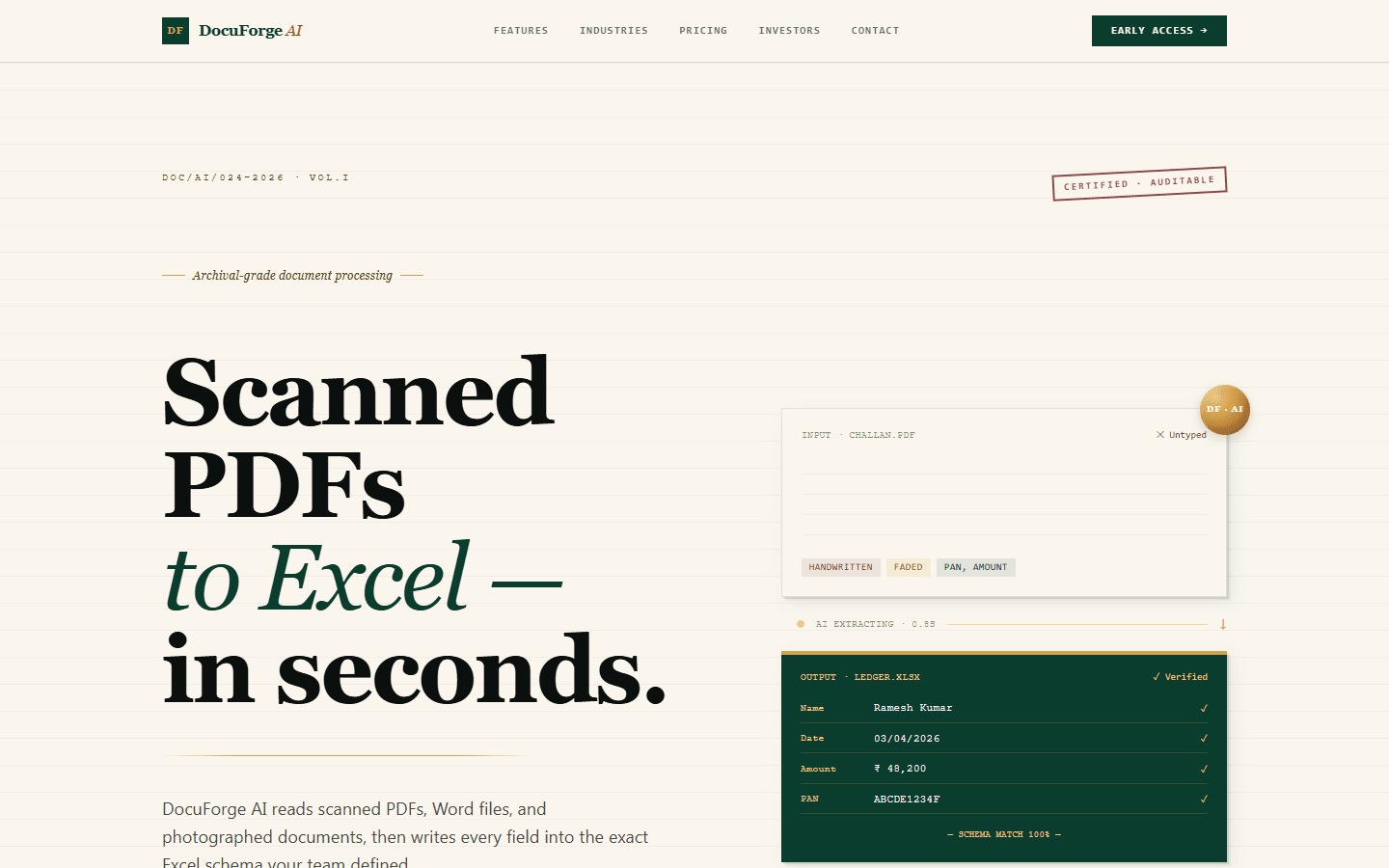
Yes. Krapton engineered Dental.AI end to end, a platform where patients upload a dental image and a Python image-analysis pipeline returns findings in plain language. Our own product DocuForge AI uses a vision-and-language pipeline to read scanned and photographed documents and map their fields into structured spreadsheets.
Ready to build AI that actually works in production?
Tell us about your AI project and get a free technical consultation within 24 hours. We'll map your use case, assess your data, and give you an honest feasibility assessment — no sales pitch.