Unlock AI Potential: Best Value GPU for AI Development
Building a powerful AI development machine doesn't require breaking the bank. Our engineers share insights on selecting the best value GPUs, prioritizing VRAM, and assembling a cost-effective workstation that delivers serious local AI and machine learning performance without compromise.
Sahil ChaudharyReviewed by a senior engineer10 min readPC Building

The landscape of AI development is rapidly evolving, with local Large Language Models (LLMs) and complex machine learning tasks becoming increasingly accessible outside of cloud environments. This shift has put a spotlight on local hardware capabilities, particularly the Graphics Processing Unit (GPU). While raw compute power often grabs headlines, our experience repeatedly shows that for local AI development, VRAM capacity is king. Many developers and ML enthusiasts are discovering that older generation, high-VRAM GPUs offer an unparalleled value proposition for their projects in 2026.
TL;DR: For local AI development and LLM inference, prioritize VRAM capacity over raw compute or brand-new GPUs. Used previous-generation consumer GPUs often provide the best value, offering sufficient memory bandwidth and core counts to run significant models without the prohibitive cost of workstation cards or cutting-edge consumer flagships.
Key takeaways
- VRAM is the primary bottleneck: The size of the AI model you can run locally is almost entirely dictated by your GPU's VRAM. Prioritize 16GB, ideally 24GB or more.
- Value in previous generations: Used GPUs from the past 2-3 generations (e.g., NVIDIA RTX 30-series, AMD RX 6000-series) offer exceptional performance-per-dollar for AI.
- Consumer vs. Workstation: Consumer cards like NVIDIA's RTX series offer superior value for most local AI tasks compared to professional Quadro/RTX Ada GPUs, which are optimized for different workloads and budgets.
- Balanced system matters: Don't bottleneck your GPU with an underpowered CPU, insufficient RAM, or poor cooling. A holistic approach ensures sustained performance.
- Cooling and PSU are critical: Sustained AI workloads generate more heat and transient power spikes than typical gaming. Invest in robust cooling and a high-quality Power Supply Unit (PSU).
Why Value Matters in AI Hardware: The VRAM Imperative
In 2026, the demand for local AI capabilities is soaring. From fine-tuning custom LLMs to running complex diffusion models, developers need powerful, accessible hardware. However, the cost of top-tier, current-generation GPUs can be prohibitive. This is where the concept of 'value' becomes paramount.
Our internal testing and client engagements consistently highlight one truth: for most local AI development, particularly with LLMs, the single biggest constraint isn't floating-point performance; it's VRAM. A model like LLaMA-3 8B (int4 quantized) can fit into 6-8GB of VRAM, but larger models or those requiring higher precision (e.g., LLaMA-3 70B in int4) demand 35-40GB. Without sufficient VRAM, the model either won't load, or it will offload layers to slower system RAM, crippling performance. In a recent client engagement, we observed a 20x slowdown on local inference for a 33B parameter model when VRAM was insufficient, forcing layers onto system RAM, despite an otherwise powerful CPU.
This VRAM imperative means that a GPU with ample memory from a previous generation often outperforms a newer, faster GPU with less VRAM, especially if you're running larger models. The goal is to maximize VRAM per dollar, ensuring your hardware can actually load the models you intend to work with.
Consumer vs. Workstation GPUs: Where the Value Lies
When selecting a GPU for AI, developers often face a choice between consumer-grade cards (like NVIDIA GeForce RTX or AMD Radeon RX) and professional workstation cards (like NVIDIA RTX Ada series or AMD Radeon Pro). While workstation cards boast features like ECC VRAM, certified drivers, and higher VRAM configurations, their price-to-performance ratio for pure AI development and inference is often unfavorable for independent developers or startups.
For example, a high-end consumer GPU with 24GB of VRAM might cost a fraction of a professional card with similar or slightly more VRAM. Our team has found that for tasks like local LLM inference, training smaller models, or running AI-powered development tools (e.g., local code assistants), consumer GPUs provide superior value. The absence of ECC VRAM is rarely a critical issue for development work, and driver support for popular AI frameworks like PyTorch and TensorFlow is robust across both consumer and professional lines. The key is to select a consumer card that offers a high VRAM count and strong memory bandwidth.
Navigating the Used GPU Market for AI Development
The used GPU market is a treasure trove for value-conscious AI developers. As new generations launch, previous-gen cards with substantial VRAM (e.g., NVIDIA RTX 3090 with 24GB, RTX 3060 12GB) become available at significantly reduced prices. These cards still offer excellent performance for many AI workloads.
When buying used, consider these points:
- Seller Reputation: Purchase from reputable sellers or platforms with buyer protection.
- Testing: If possible, test the card thoroughly upon receipt. Tools like
nvidia-smi(for NVIDIA) oramdgpu_top(for AMD) can report VRAM usage, temperature, and power draw. Run a demanding benchmark or AI workload to stress-test it. - Cooling: Check for excessive dust or signs of poor thermal management. Repasting the thermal compound can often extend a card's life and improve performance under sustained load.
- Warranty: Most used cards will be out of warranty. Factor this into your risk assessment.
# Example: Check NVIDIA GPU status with nvidia-smi
nvidia-smi

# Example: Run a simple PyTorch script to check VRAM usage
import torch
if torch.cuda.is_available():
    print(f"CUDA is available. Device name: {torch.cuda.get_device_name(0)}")
    total_memory = torch.cuda.get_device_properties(0).total_memory / (1024**3)
    print(f"Total VRAM: {total_memory:.2f} GB")
    # Allocate a large tensor to see VRAM usage increase
    x = torch.randn(10000, 10000, device='cuda')
    print(f"Allocated tensor. Current VRAM usage: {torch.cuda.memory_allocated() / (1024**3):.2f} GB")
else:
    print("CUDA not available. Check your drivers and PyTorch installation.")
This approach allows for a significantly more powerful AI development setup than a new budget card, especially when targeting models that demand higher VRAM.
Like this article? Help us grow.
Choose Krapton as a preferred source on Google to see more of our engineering insights in Search. You only need to click once.
Building Your Budget AI Workstation: Component Synergy
A powerful GPU is only as good as the system it's plugged into. For a value-oriented AI workstation, synergistic component selection is crucial.
The CPU: More Than Just Cores
While the GPU handles the heavy lifting for AI, the CPU is responsible for data preprocessing, managing the operating system, running development environments (like VS Code, Docker containers), and orchestrating workloads. For most AI development, a modern CPU with a good balance of single-thread performance and core count (e.g., Intel i5/i7 or AMD Ryzen 5/7 from the last few generations) is sufficient. You don't need a Threadripper, but skimping on the CPU will create bottlenecks, especially when dealing with large datasets or complex multi-container setups. Our engineering teams typically aim for 6-8 strong cores as a sweet spot for general development and supporting AI tasks.
RAM: Capacity Over Speed for AI
Similar to VRAM, system RAM capacity is often more critical than raw speed for AI development. When your GPU's VRAM is exhausted, the system will swap data to main RAM, so having plenty of it can mitigate some of the performance hit. For developers running multiple Docker containers, IDEs, web browsers, and potentially offloaded LLM layers, 32GB of DDR4 or DDR5 RAM is a practical minimum. 64GB is ideal for serious AI work and multi-tasking. While faster RAM (e.g., DDR5-6000MT/s) is beneficial, the performance uplift for AI is often less pronounced than simply having more capacity. We prioritize 32GB+ of DDR5-5200 or DDR4-3200 as the baseline.
Storage: NVMe for Datasets
AI development involves working with large datasets and model files. A fast NVMe SSD is non-negotiable for quick loading times and responsiveness. A Gen4 NVMe drive offers excellent performance-per-dollar. While Gen5 NVMe drives are emerging, their real-world benefit for most AI development is currently marginal compared to the cost premium. Save your budget for the GPU and opt for a 1-2TB Gen4 NVMe for your OS, applications, and active datasets. Consider a secondary, larger SATA SSD or even a traditional HDD for archival storage of less frequently accessed models or raw data.
Power & Cooling: Don't Skimp Here
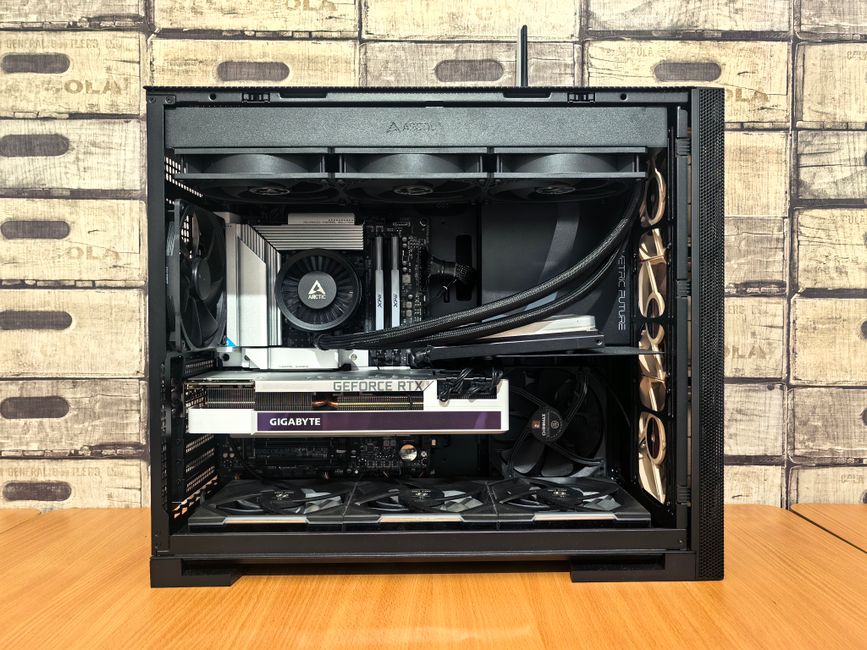
Sustained AI workloads stress components differently than gaming. GPUs can draw peak power for hours, leading to significant heat generation and transient power spikes. A robust cooling solution (large air cooler or 240/280mm AIO for the CPU, good case airflow for the GPU) is essential to prevent thermal throttling. Similarly, a high-quality Power Supply Unit (PSU) with sufficient wattage (750W-1000W for single high-end GPU builds) and an 80+ Gold or Platinum rating is crucial. We've seen numerous issues in production rollouts where inadequate PSUs led to system instability or unexpected shutdowns under full AI load, which gaming benchmarks rarely expose.
Recommended Value AI Workstation Builds
Here are our engineering-backed recommendations for value-focused AI development workstations, categorized by budget tier in 2026. These builds prioritize VRAM and a balanced ecosystem for sustained performance.
| Tier | GPU (Best Value Focus) | RAM | CPU | Best For |
|---|---|---|---|---|
| Best Value (Entry) | Used NVIDIA RTX 3060 (12GB) or AMD RX 6700 XT (12GB) | 32GB DDR4-3200 | Intel Core i5-12600K / AMD Ryzen 5 7600X | Local LLM inference (smaller models), ML experimentation, web dev, mobile dev. |
| Sweet Spot (Mid-Range) | Used NVIDIA RTX 3090 (24GB) or RTX 4060 Ti (16GB) | 64GB DDR5-5200 | Intel Core i7-13700K / AMD Ryzen 7 7700X | Serious local LLM inference (medium models), fine-tuning, complex ML models, data science. |
| Local LLM Powerhouse | Used NVIDIA RTX 4090 (24GB) or RTX 3090 (24GB) (dual setup if budget allows) | 64GB DDR5-6000 | Intel Core i7-14700K / AMD Ryzen 9 7900X | Large LLM inference (up to 70B int4), advanced ML training, multi-modal AI, 3D rendering. |
| Don't Bother (Waste of Money) | New NVIDIA RTX 4060 (8GB) or AMD RX 7600 (8GB) | 16GB DDR4/DDR5 | Any low-end CPU | Will quickly hit VRAM limits for AI, poor long-term value. |
When NOT to use this approach
While building a value-oriented local AI workstation is excellent for many developers, it's not always the optimal choice. If your projects require massive-scale LLM training (hundreds of billions of parameters), multi-GPU setups beyond 2-4 consumer cards, or highly specialized hardware like NVIDIA H100s, then cloud-based GPU instances (e.g., AWS EC2, Google Cloud TPUs, Azure ML) will be more cost-effective and scalable. Furthermore, if you lack the time or expertise for PC building and troubleshooting, the convenience and managed services of cloud providers might outweigh the upfront investment and maintenance of a local machine. For those needing to scale quickly or manage diverse AI workloads without hardware headaches, cloud infrastructure remains a powerful alternative. However, for iterative local development and experimentation, a well-built local machine is unparalleled.
FAQ
What is the minimum VRAM for local LLMs in 2026?
For basic local LLM inference, 8GB of VRAM is a bare minimum for smaller 7B-8B parameter models quantized to 4-bit. However, for practical development and access to a wider range of models (e.g., 13B-33B models), 16GB is highly recommended, with 24GB being ideal for larger models or more demanding tasks.
Is DDR5 RAM essential for an AI development PC?
While DDR5 offers higher bandwidth and future-proofing, DDR4 is still perfectly viable for many AI development PCs, especially on a budget. The capacity of RAM (32GB+) generally provides a more significant performance uplift for AI workloads than the generational speed difference between DDR4 and DDR5.
Should I buy a new or used GPU for AI development?
For best value, consider a used, previous-generation GPU with high VRAM. Cards like the used RTX 3090 (24GB) often offer superior VRAM capacity and performance per dollar compared to new, similarly priced current-generation cards that might have less VRAM.
How much power supply (PSU) wattage do I need for an AI build?
For a single high-end consumer GPU (e.g., RTX 4090 or 3090), a 850W-1000W 80+ Gold or Platinum PSU is recommended to handle sustained loads and transient power spikes. For mid-range GPUs, 750W is typically sufficient, but always check the manufacturer's recommendations and add a buffer.
Ready to Build or Scale Your AI Capabilities?
Building a powerful, value-driven AI workstation empowers your development process, but scaling these capabilities to production requires more than just hardware. If you're looking to accelerate your AI initiatives, from integrating cutting-edge models to building robust AI development services, our principal-level engineers are ready to help. Don't just build a machine; build a solution. Book a free consultation with Krapton to discuss your project needs and how our dedicated teams can deliver.