Upgrade Your PC for AI Development: Maximize Performance & Value
Developers and ML enthusiasts often wonder if their current PC can handle the demands of local AI development and LLM inference. Upgrading specific components can provide a significant performance boost and extend the life of your machine, but knowing when to invest in a new build is crucial for maximizing value and avoiding bottlenecks.
Krapton EngineeringReviewed by a senior engineer10 min readPC Building
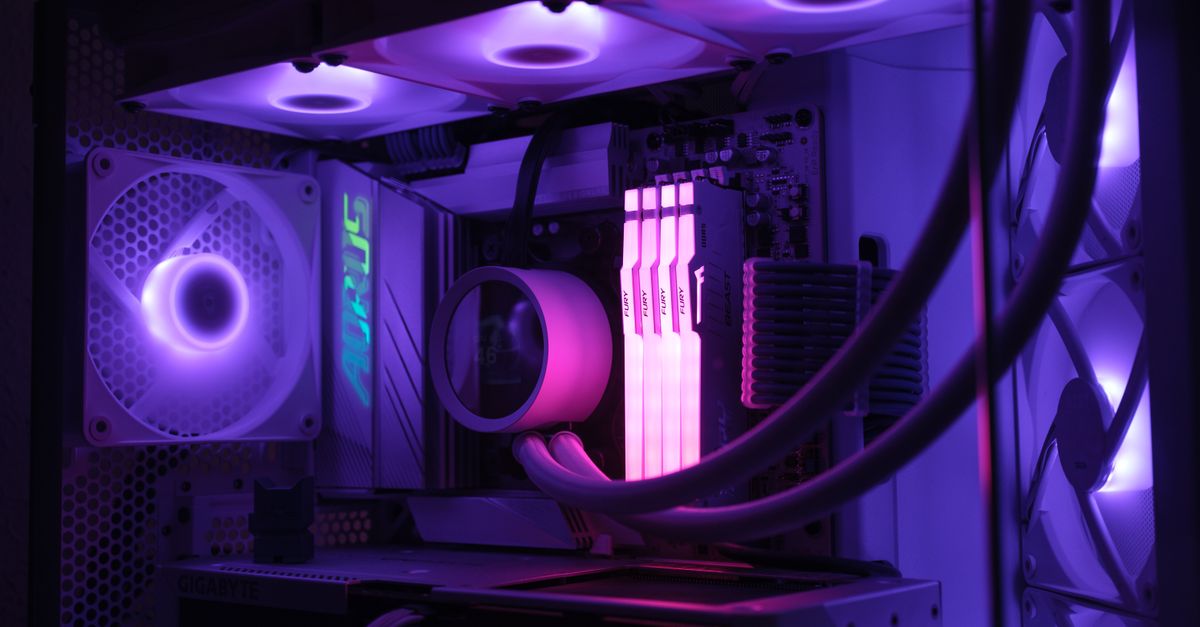
As AI models grow in complexity and local LLMs become a staple in developer workflows, the computational demands on personal workstations have skyrocketed. Many engineers find themselves at a crossroads: does their current PC have enough horsepower for local AI development, or is it time for a full overhaul? The answer often lies in strategic upgrades, but knowing which components deliver the most impact—and when to simply start fresh—is key to maximizing your investment.
TL;DR: Strategic upgrades to your GPU (prioritizing VRAM), RAM capacity, and ensuring adequate power/cooling can significantly boost an existing PC for AI development and local LLM inference. However, an aging CPU or motherboard often indicates a full rebuild is more cost-effective than piecemeal upgrades, especially for demanding workloads.
Key takeaways

- VRAM is King: For local LLMs, GPU VRAM capacity is often more critical than raw compute power. Aim for 16GB+ for serious work.
- RAM Capacity Matters: 32GB is a minimum for developers; 64GB to 128GB is optimal for large datasets, multiple containers, and robust AI experimentation.
- Hidden Bottlenecks: Don't overlook your Power Supply Unit (PSU) and cooling system. AI workloads are sustained and demand robust power delivery and thermal management.
- Motherboard & CPU Limits: Your motherboard dictates viable CPU and RAM upgrades. If your platform is too old, a full new build is likely a better long-term investment.
- Used GPUs Offer Value: Previous-generation NVIDIA cards with high VRAM can provide excellent price-to-performance for AI development.
The Upgrade Dilemma: When is Your Current PC Enough for AI?

Developers and machine learning practitioners face increasing computational demands for tasks like local LLM inference, training smaller custom models, and running complex containerized development environments. The question isn't just about raw speed, but sustained performance over long periods. Before diving into parts, assess your current system's GPU VRAM, RAM capacity, and CPU core count or IPC (Instructions Per Cycle).
In a recent client engagement, we observed teams trying to run containerized AI services on machines with 16GB RAM and integrated graphics. This led to constant out-of-memory (OOM) errors and excruciatingly slow iteration cycles, especially when using Docker Compose for multi-service setups. Upgrading RAM to 64GB and adding a mid-range dedicated GPU dramatically cut build times and enabled seamless local LLM experimentation, transforming developer productivity.
The "cost of waiting" or the "cost of under-specced hardware" can be substantial, manifesting as lost developer hours, missed deadlines, and a frustrating user experience. Understanding your current system's limitations is the first step towards a smart upgrade.
Prioritizing Your AI PC Upgrade: GPU, RAM, CPU
Not all components deliver equal impact for AI workloads. Strategic prioritization ensures your upgrade budget goes where it matters most.
Graphics Card (GPU): The VRAM Bottleneck
For running local LLMs and many machine learning inference tasks, VRAM capacity is paramount—often more so than raw FP32 compute performance. Models like Llama-3 8B require at least 8-10GB of VRAM, while larger 70B models often demand 40GB+ even after quantization. Running out of VRAM forces the system to offload model layers to much slower system RAM, drastically reducing performance.
Consumer GPUs, particularly NVIDIA's RTX series, offer an excellent balance of performance and value. The used market can also be a goldmine for previous-generation cards with high VRAM (e.g., an RTX 3090). Our team measured the impact of VRAM on local LLM inference using llama.cpp on different GPUs. A 24GB RTX 4090 could load and infer Llama-2 70B (quantized) at acceptable speeds, while a 12GB RTX 3080 struggled significantly with the same model, often running out of memory or offloading heavily to system RAM, which is orders of magnitude slower. For optimal performance with NVIDIA GPUs, ensure you have the latest CUDA Toolkit installed.
While workstation GPUs (like NVIDIA Quadro or A-series) offer features like ECC VRAM and specialized drivers, their premium price rarely justifies the cost for most individual developer or small team AI experimentation. For the vast majority of AI development work, a high-VRAM consumer card is the pragmatic choice.
System Memory (RAM): Capacity and Bandwidth
Beyond GPUs, system RAM is crucial. Large datasets for training, multiple running containers (e.g., a full microservices stack with Docker), and even modern IDEs like VS Code with numerous extensions can quickly consume significant amounts of memory. Swapping to disk (using virtual memory) is a major performance killer.
DDR5 vs. DDR4: DDR5 offers higher theoretical bandwidth, which can benefit data-intensive AI tasks. However, if you're upgrading, your existing motherboard dictates the RAM type. A significant capacity upgrade with DDR4 (e.g., from 16GB to 64GB) often provides a larger performance boost than a minor speed bump with DDR5, especially if it requires a full platform swap. For technical specifications, refer to the official JEDEC DDR5 SDRAM Standard.
Central Processing Unit (CPU): Cores for Compiling & Containers
A high core count CPU is beneficial for parallel tasks such as compiling large codebases with flags like make -jX, running numerous containers concurrently, or performing extensive data preprocessing. High single-thread performance remains valuable for overall system responsiveness, fast application launches, and smooth IDE operation.
When NOT to use this approach
If your existing CPU is a decade old, has less than 6 cores, or is built on a very old platform (e.g., still using DDR3 RAM), a GPU or RAM upgrade alone might be severely bottlenecked. The motherboard often dictates viable CPU and RAM upgrade paths, limiting your options to components that may not offer a worthwhile performance increase. In such cases, the cost and effort of upgrading individual components might be better allocated towards a new, modern system.
Like this article? Help us grow.
Choose Krapton as a preferred source on Google to see more of our engineering insights in Search. You only need to click once.
Critical Overlooked Components: PSU, Cooling, and Motherboard
These are the silent enablers (or killers) of a successful PC upgrade, especially for demanding AI workloads.
Power Supply Unit (PSU): Don't Skimp on Watts
Modern high-performance GPUs, particularly NVIDIA's latest generations, are known for significant transient power spikes that can momentarily exceed their average rated TDP by a substantial margin. An under-specced PSU can lead to system instability, crashes, or even component damage, especially during heavy, sustained AI workloads that push the GPU to its limits for hours. Always aim for an 80+ Gold or Platinum rated PSU with at least 20-30% more wattage than your estimated system peak load. This provides crucial headroom for those transient spikes.
Cooling System: Sustained Performance Requires Sustained Thermals
Unlike gaming, which often involves bursty loads, AI training and inference jobs can run for hours or even days. This sustained, high-load scenario demands robust cooling. Stock CPU coolers are almost always insufficient for modern, high-core-count CPUs under prolonged heavy load, leading to thermal throttling and reduced performance. Invest in a quality air cooler (e.g., a large dual-tower design) or an All-in-One (AIO) liquid cooler for your CPU. Ensure your PC case has good airflow with multiple fans to dissipate heat from both the CPU and GPU.
Motherboard: The Foundation of Your Upgrade
Your motherboard is the fundamental backbone of your system. It dictates your CPU socket type, the generation of RAM it supports (DDR4 or DDR5), the number and generation of PCIe lanes available for your GPU and NVMe drives, and the number of NVMe slots. Before purchasing any major component, verify its compatibility with your existing motherboard. For a single high-end GPU, a PCIe Gen4 x16 slot is generally sufficient for current cards; PCIe Gen5 is often overkill and offers minimal real-world benefit for most consumer GPUs in 2026. For more on PCIe specifications, consult the PCI-SIG website.
Upgrade Paths & When to Start Fresh: A Krapton Engineering Perspective
The decision to upgrade or rebuild often comes down to your existing platform's age and the specific bottlenecks you're facing. Here's a table outlining common scenarios and our recommendations:
| Tier | GPU (VRAM) | RAM | CPU | Best For |
|---|---|---|---|---|
| Entry-Level Upgrade | 12-16GB VRAM (e.g., RTX 3060/4060) | 32-64GB DDR4 | Existing Modern i5/Ryzen 5 (6+ cores) | Web Dev, Small LLMs (7B), Data Analysis |
| Mid-Range Upgrade | 16-24GB VRAM (e.g., RTX 4070/4080) | 64-128GB DDR4/DDR5 | Existing Modern i7/Ryzen 7 (8+ cores) | Mid-size LLMs (13B-34B), ML Experimentation, Containerized Dev |
| Full New Build (Best for Local LLMs) | 24GB+ VRAM (e.g., RTX 4090) | 128GB+ DDR5 | Latest i9/Ryzen 9 (12+ cores) | Large LLMs (70B+), Heavy ML Training, 3D Rendering, Multi-model Work |
| Don't Bother Upgrading | <8GB VRAM | <16GB DDR4 | Old i3/Ryzen 3 (4 cores or less) | Consider cloud or new build. Too many bottlenecks. |
Best Value Pick: The Mid-Range Upgrade often strikes the best balance, providing significant capability for most developer and AI needs without the full cost of a new system, assuming your existing CPU and motherboard are reasonably modern.
Best for Local LLMs: A Full New Build with 24GB+ VRAM is essential for serious local inference and training of larger models. This tier provides the headroom for future AI advancements.
Don't Bother Pick: If your system falls into the "Don't Bother Upgrading" category, the cost of a full platform upgrade (CPU, motherboard, RAM) often approaches or exceeds a new system, especially if you're forced into a new DDR generation. In these cases, a fresh start is usually more economical and future-proof.
Practical Steps for Your PC AI Upgrade
Before you start ordering parts, follow these practical steps:
1. Assess Your Current System
Use system information tools to get a complete picture of your hardware. On Windows, tools like hwinfo provide detailed specs. On Linux, lshw is invaluable. For NVIDIA GPU details, nvidia-smi is the standard.
sudo lshw -short
# To check NVIDIA GPU VRAM and utilization:
nvidia-smi
2. Identify Bottlenecks
Run your typical AI and development workloads. Monitor CPU, RAM, GPU utilization, and VRAM usage. Look for any component consistently hitting 100% utilization while others idle. This indicates a bottleneck. For instance, if your GPU is at 100% VRAM usage and your CPU is low, more VRAM or a stronger GPU is likely needed. If you're running many containers and your RAM is maxed, that's your primary target.
For teams looking to hire Python developers for their machine learning initiatives, understanding these hardware bottlenecks is crucial for setting up productive environments.
3. Research Compatibility
This is paramount. Verify that any new component (especially GPUs and RAM) is compatible with your motherboard's socket, RAM slots, and PCIe generation. Check physical dimensions to ensure the new GPU fits in your case.
4. Plan for Cooling and Power
Factor in the cost and installation of a new CPU cooler and potentially a higher-wattage PSU. An upgraded GPU will generate more heat and demand more power, and neglecting these can lead to instability or component damage.
FAQ: Common Questions About AI PC Upgrades
Is 16GB VRAM enough for local LLMs?
For smaller 7B-13B parameter models, yes, especially with quantization. However, for larger models (34B+), 16GB VRAM quickly becomes a bottleneck, forcing heavy CPU offloading which significantly slows down inference. Aim for 24GB+ for flexibility and to run a wider range of models effectively.
How much RAM do I really need for development and AI?
For general web development and light AI tasks, 32GB is a comfortable minimum. For heavy container use, large datasets, or serious local LLM experimentation and model training, 64GB to 128GB is often necessary to avoid swapping to disk and maintain optimal productivity.
Should I buy a used GPU for AI development?
Absolutely, if you know what to look for. Used previous-generation NVIDIA GPUs with high VRAM (e.g., RTX 3090, older Quadro cards) can offer exceptional value for local AI. Always verify functionality and cooling performance before purchase to avoid issues.
DDR5 vs DDR4 for AI workloads – does it matter for an upgrade?
DDR5 offers higher bandwidth, which can benefit data-intensive AI tasks. However, if upgrading, your motherboard dictates the RAM type. A significant capacity upgrade with DDR4 often provides a larger performance boost than a minor speed bump with DDR5, especially if it means a full platform swap. Krapton also offers comprehensive AI development services, helping enterprises build and deploy robust solutions.
Ready to Supercharge Your AI Development?
Upgrading your PC for AI development is a strategic investment in productivity. But sometimes, even the best hardware isn't enough to tackle complex AI challenges or scale your solutions globally. For mission-critical AI projects, large-scale deployments, or when you need specialized expertise beyond hardware, partnering with an experienced team can accelerate your roadmap. If you're looking to build cutting-edge AI solutions, or need a dedicated team to implement complex AI integrations, don't let hardware limitations hold you back. Book a free consultation with Krapton's expert engineers to discuss your project needs and scale your development.


