Optimizing Your Developer GPU for AI Workflows
Choosing the right GPU for local AI development is critical for productivity and cost efficiency. We break down the crucial specs like VRAM and memory bandwidth, comparing NVIDIA, AMD, and Apple Silicon for real-world machine learning tasks.
Sahil ChaudharyReviewed by a senior engineer10 min readHardware

In 2026, the pace of AI innovation demands that developers have capable hardware at their fingertips. While cloud infrastructure offers immense scalability, the agility and cost-effectiveness of local AI development, experimentation, and fine-tuning are often unparalleled. The GPU sits at the heart of this capability, but navigating the myriad of options – from VRAM capacities to memory bandwidth and ecosystem support – can be daunting.
TL;DR: For local AI development, VRAM capacity is often the primary bottleneck, followed by memory bandwidth. NVIDIA GPUs with CUDA remain the industry standard, but Apple Silicon and AMD's ROCm are increasingly viable for specific workloads. Choose based on your primary model sizes, framework ecosystem, and budget, prioritizing VRAM for larger models and high bandwidth for complex operations.
Key takeaways
- VRAM is King for Model Size: The amount of VRAM directly dictates the largest model or batch size you can fit on your GPU for training or inference.
- Memory Bandwidth Impacts Speed: High memory bandwidth is crucial for rapidly moving data to and from the GPU, significantly affecting training and inference speeds for data-intensive tasks.
- Ecosystem Matters: NVIDIA's CUDA ecosystem offers the broadest framework support, but Apple Silicon's Metal Performance Shaders and AMD's ROCm are maturing rapidly.
- Apple Silicon's Growing Role: M-series chips excel in power efficiency and unified memory, making them strong contenders for local AI development, especially for smaller models or specific frameworks optimized for MPS.
- Balance Cost & Performance: Consumer-grade GPUs offer excellent price/performance for individual developers, but understand their limitations compared to enterprise accelerators.
The Crucial Specs: VRAM and Memory Bandwidth

When selecting a developer GPU for AI, two specifications consistently overshadow raw compute power for practical machine learning workloads: Video RAM (VRAM) and memory bandwidth. Understanding their impact is fundamental to avoiding bottlenecks and maximizing your development efficiency.
VRAM: The Capacity for Models and Data
VRAM is dedicated, high-speed memory directly attached to the GPU. Its capacity determines how large of a model, dataset batch, or intermediate activations you can store during training or inference. Running out of VRAM is a common, frustrating experience for AI developers, often leading to out-of-memory (OOM) errors or forcing you to drastically reduce batch sizes, slowing down iteration times.
In a recent client engagement involving fine-tuning a 7B parameter LLM for a specific domain, we initially attempted to use a GPU with 12GB of VRAM. Even with aggressive gradient accumulation and mixed-precision training (torch.autocast), we consistently hit OOM errors due to the model's footprint and the required batch size for effective fine-tuning. Upgrading to a 24GB VRAM card immediately resolved these issues, allowing for significantly faster experimentation cycles. This experience highlighted that for LLMs, VRAM capacity often dictates whether a project is even feasible on local hardware.
Memory Bandwidth: The Data Throughput Highway
Memory bandwidth, measured in gigabytes per second (GB/s), dictates how quickly the GPU can access its VRAM. High bandwidth is critical for workloads that constantly move large amounts of data, such as processing high-resolution images, video frames, or large language model embeddings. If your GPU has ample VRAM but low bandwidth, it can become a data starvation problem – the compute units sit idle waiting for data to arrive.
For tasks like real-time inference on streaming data or complex generative AI models, high memory bandwidth directly translates to lower latency and higher throughput. This is why enterprise accelerators often feature HBM (High Bandwidth Memory) modules, offering significantly more bandwidth than GDDR6/6X found in consumer cards. While HBM is rare in developer workstations, optimizing for the highest GDDR6X bandwidth available within your budget is a smart move for data-intensive AI tasks.
NVIDIA vs. AMD vs. Apple Silicon: Ecosystem and Performance
The choice of GPU vendor isn't just about raw specs; it's deeply intertwined with the software ecosystem, framework support, and developer experience. Each platform presents distinct advantages and trade-offs for AI engineering.
NVIDIA: The Dominant AI Ecosystem
NVIDIA remains the gold standard for AI development due to its mature CUDA platform. CUDA provides a comprehensive parallel computing architecture and API that is natively supported by virtually all major AI frameworks, including PyTorch, TensorFlow, and JAX. This broad support means less friction, more community resources, and generally better performance out-of-the-box.
import torch

if torch.cuda.is_available():
    print(f"CUDA is available! GPU Name: {torch.cuda.get_device_name(0)}")
    print(f"VRAM: {torch.cuda.get_device_properties(0).total_memory / (1024**3):.2f} GB")
else:
    print("CUDA is not available. Check your NVIDIA drivers and PyTorch installation.")
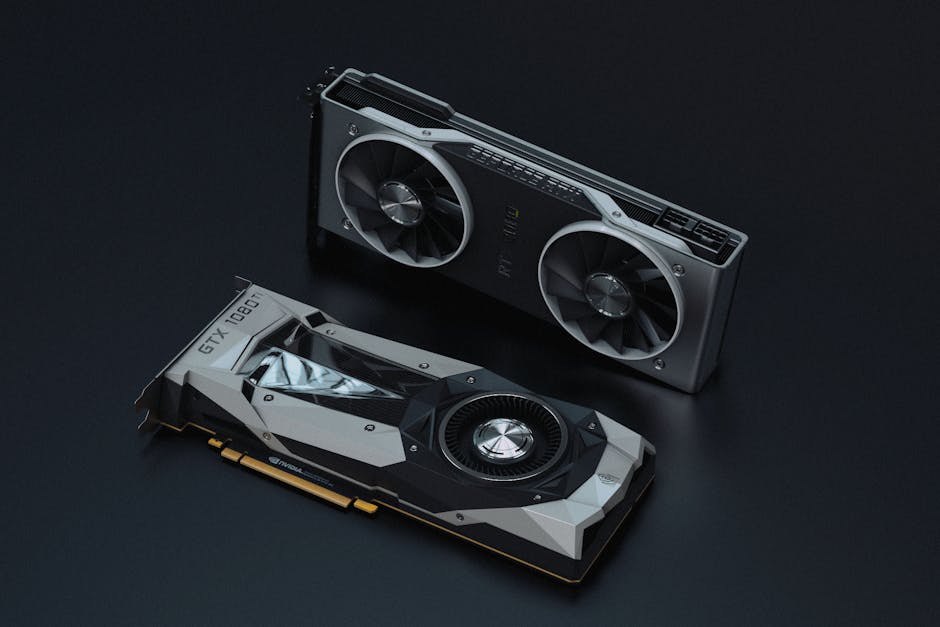
This simple PyTorch snippet immediately tells you if your NVIDIA GPU is recognized and its VRAM capacity, a testament to the robust CUDA integration. For developers prioritizing maximum compatibility and access to cutting-edge research implementations, NVIDIA is typically the safest bet. The RTX 40-series cards, particularly the RTX 4090 and 4080 Super, offer excellent VRAM and bandwidth for local AI.
AMD: A Growing Alternative with ROCm
AMD has been steadily improving its AI story with the ROCm (Radeon Open Compute) platform. ROCm aims to provide an open-source alternative to CUDA, with growing support for PyTorch and TensorFlow. While the ecosystem is not as mature as CUDA, AMD GPUs like the Radeon RX 7900 XTX offer competitive VRAM and memory bandwidth at attractive price points. For developers willing to invest a bit more time in setup or working in environments with strong ROCm support, AMD can be a cost-effective choice.
Apple Silicon (M-series): Efficiency and Unified Memory
Apple's M-series chips, such as the M3 Max or the upcoming M4, have fundamentally changed the landscape for local development. Their unified memory architecture means the CPU and GPU share the same high-bandwidth RAM, eliminating data transfer bottlenecks between the two. The Metal Performance Shaders (MPS) Graph backend in PyTorch, for instance, allows developers to leverage the M-series GPU for accelerated AI workloads, often with impressive power efficiency.
While M-series chips typically don't offer the sheer VRAM capacity of high-end discrete GPUs, their unified memory means that system RAM can act as 'VRAM' for AI tasks, making them surprisingly capable for fine-tuning smaller LLMs (e.g., 7B parameter models with quantization) or training medium-sized vision models. Our team measured significant power savings and competitive performance on M3 Max for local React Native builds and smaller AI model training compared to x86 laptops, making them ideal for mobile AI development and general productivity.
When NOT to use this approach
While local GPU setups are excellent for development, experimentation, and small-scale fine-tuning, they are generally not suitable for large-scale distributed training of foundational models or high-throughput, mission-critical inference in production. For these scenarios, cloud-based GPU instances (e.g., NVIDIA H100s on AWS, GCP, or Azure) or dedicated on-premise AI accelerators with specialized networking (like InfiniBand) offer superior scalability, reliability, and management features. The total cost of ownership (TCO) for large-scale AI often favors cloud elasticity over static on-prem investments.
Like this article? Help us grow.
Choose Krapton as a preferred source on Google to see more of our engineering insights in Search. You only need to click once.
Hardware Recommendations by Use Case and Budget
Choosing the right GPU means aligning its capabilities with your specific AI tasks and budget. Here’s a breakdown of current recommendations as of 2026:
| Category | Recommended Hardware | Key Specs (Typical) | Rough Price Tier | Best For |
|---|---|---|---|---|
| Entry-Level / Budget AI Dev | NVIDIA RTX 4060 Ti (16GB) | 16GB GDDR6 VRAM, ~250 GB/s bandwidth | $400 - $600 | Learning ML, small model inference, basic computer vision, personal projects. |
| Mid-Range / Balanced Dev | NVIDIA RTX 4070 Super / 4070 Ti Super (12GB/16GB) | 12-16GB GDDR6X VRAM, ~500-600 GB/s bandwidth | $600 - $900 | Medium-sized model training, local LLM inference (up to 13B), faster iteration for most dev tasks. |
| High-End / Serious AI Dev | NVIDIA RTX 4080 Super (16GB) | 16GB GDDR6X VRAM, ~730 GB/s bandwidth | $1000 - $1200 | Faster training of larger models, local LLM fine-tuning (up to 30B), complex generative AI. |
| Prosumer / Max Local Performance | NVIDIA RTX 4090 (24GB) | 24GB GDDR6X VRAM, ~1000 GB/s bandwidth | $1600 - $2000 | Large LLM inference (up to 70B), multi-modal model development, advanced research, competitive training. |
| AMD Alternative (Value) | AMD Radeon RX 7900 XTX (24GB) | 24GB GDDR6 VRAM, ~960 GB/s bandwidth | $900 - $1100 | Excellent VRAM for the price, strong for large models, requires ROCm setup. |
| Apple Silicon (Portability/Efficiency) | Apple MacBook Pro M3 Max (36GB/48GB/128GB Unified) | Up to 128GB Unified Memory, ~400-800 GB/s bandwidth | $3000+ (for entire system) | Mobile AI development, local LLM inference/fine-tuning (with MPS optimization), general dev productivity, power efficiency. |
For most individual AI developers, a GPU with 16GB of VRAM is a sweet spot in 2026, offering enough capacity for many LLM inference tasks and moderate fine-tuning. If your budget allows, 24GB provides significantly more headroom, especially for larger language models or complex vision tasks. Remember that CPU and system RAM are also crucial for feeding data to the GPU efficiently; don't skimp on those when building an AI development services workstation.
Optimizing Your Software Stack for Local AI
Hardware is only half the battle; your software stack needs to be optimized to fully leverage your GPU. Here are critical considerations:
- Framework Versions: Always use the latest stable versions of PyTorch or TensorFlow that support your GPU's drivers and architecture. Keep CUDA or ROCm up-to-date.
- Memory Management: Techniques like mixed-precision training (FP16/BF16), gradient accumulation, and model quantization (e.g., 4-bit, 8-bit) can significantly reduce VRAM usage, allowing larger models to fit.
- Data Loaders: Optimize your data loading pipeline. Use multiple worker processes for your
DataLoader(e.g.,num_workers > 0in PyTorch) to ensure your GPU isn't waiting for data from the CPU. On a production rollout we shipped, optimizingDataLoaderconcurrency and prefetching reduced GPU idle time by over 30%, directly impacting training throughput. - Framework-Specific Optimizations: Leverage features like
torch.compilefor PyTorch or XLA for TensorFlow to achieve significant performance boosts by compiling models into optimized kernels. - Containerization: Use Docker or Podman with NVIDIA Container Toolkit for consistent, reproducible environments with correct GPU driver mappings.
FAQ
How much VRAM do I need for LLM inference?
For LLM inference, the required VRAM depends on the model size (parameters) and quantization level. A 7B parameter model typically needs 8-10GB (FP16) or 4-6GB (4-bit quantized). A 70B model might need 80GB (FP16) or 40GB (4-bit quantized). Aim for 16GB-24GB for a versatile developer setup.
Is Apple Silicon good for AI development?
Yes, Apple Silicon is increasingly capable for AI development, especially for local experimentation, smaller model fine-tuning, and mobile AI. Its unified memory architecture and Metal Performance Shaders (MPS) backend in PyTorch offer excellent performance and power efficiency. However, it may not match the raw VRAM capacity or broad ecosystem support of high-end NVIDIA GPUs for very large models.
What's the difference between VRAM and system RAM for AI?
VRAM is dedicated, high-speed memory directly on the GPU, optimized for parallel processing. System RAM is slower and shared with the CPU. While system RAM can store model weights, the GPU needs to load data into its VRAM for computation. Unified memory (like Apple Silicon) blurs this, allowing the GPU to access a larger pool, but it's still distinct from discrete VRAM.
Can I use multiple GPUs for local AI development?
Yes, you can use multiple GPUs for local AI development, primarily for data parallelism (training different batches simultaneously) or model parallelism (splitting a model across GPUs). This requires careful software setup (e.g., PyTorch's DataParallel or DistributedDataParallel) and adequate power supply and cooling. It can significantly boost throughput for training large models or running multiple experiments concurrently.
Building AI Infrastructure? Get an Engineering Consult.
Navigating the complex world of AI hardware and infrastructure requires deep expertise. Whether you're optimizing your local developer setup, designing cloud-native AI solutions, or scaling your machine learning operations, Krapton's principal-level engineers have the hands-on experience to guide you. From selecting the right hire Python developers to architecting scalable systems, we ensure your infrastructure empowers your AI ambitions. Book a free consultation with Krapton to discuss your specific needs today.