Choose the Best PC Components for Developers: A Build Guide
Building a high-performance developer workstation requires strategic component selection beyond typical gaming rigs. Understand the critical trade-offs in CPU, RAM, GPU, and storage to optimize for compilation, containerization, and local AI workloads, ensuring your machine accelerates productivity, not bottlenecks it.
Sahil ChaudharyReviewed by a senior engineer11 min readPC Building

In 2026, the demands on a developer's local machine are more intense than ever. From rapidly compiling large codebases to running multiple containers, spinning up local LLMs, or processing hefty datasets, your PC components directly dictate your productivity. The days of a generic office PC sufficing for serious development are long gone; today's engineers need purpose-built power.
TL;DR: Optimize your developer PC by prioritizing VRAM for local LLMs (16GB+), ample and fast DDR5 RAM (32-64GB baseline), high core count CPUs for compilation and virtualization, and Gen4/Gen5 NVMe storage for rapid I/O. Invest in robust cooling and a stable PSU to prevent throttling during sustained workloads.
Key takeaways
- VRAM Capacity is Paramount for Local AI: For running local Large Language Models, aim for a GPU with at least 16GB of VRAM; 24GB or more is ideal for larger models and experimentation.
- RAM: Speed & Capacity are Both Critical: DDR5 is the standard for new builds. Start with 32GB, but 64GB is the sweet spot for heavy development, multiple VMs, and local AI.
- CPU: Balance Cores & Single-Thread Performance: Modern CPUs with a mix of performance and efficiency cores excel at diverse developer tasks, from rapid compilation to running complex build pipelines.
- NVMe Storage: Don't Compromise on Speed: A fast Gen4 (or Gen5 for heavy data work) NVMe SSD for your OS, tools, and project files significantly reduces load times and improves overall responsiveness.
- Cooling & PSU are Non-Negotiable: Sustained developer workloads generate more heat and demand more stable power than typical gaming. Invest in quality cooling and a robust power supply to avoid thermal throttling and system instability.
Why Your Component Choices Matter for Developer Productivity
Every second spent waiting for code to compile, containers to build, or an AI model to load is lost productivity. Unlike gaming, which often bursts performance, developer workloads are frequently sustained, hammering the CPU, RAM, and GPU for extended periods. This continuous demand exposes bottlenecks that casual use might never reveal.
For instance, a slow storage drive can turn a npm install or Docker image build into a coffee break, while insufficient VRAM will simply prevent larger LLMs from loading locally. These seemingly minor delays accumulate rapidly, impacting sprint velocity and developer morale. Investing in the right custom software services often starts with ensuring your engineers have the tools they need to be effective.
CPU: The Brain of Your Developer Workstation
The CPU is the command center, orchestrating everything from your IDE to your Docker containers. For developers, the choice often boils down to a balance between raw core count and strong single-thread performance.
Core Count vs. Single-Thread Performance: The Developer's Dilemma
Modern CPUs, like Intel's 14th Gen Core series (e.g., i7-14700K, i9-14900K) or AMD's Ryzen 7000 series (e.g., Ryzen 7 7800X3D, Ryzen 9 7950X3D), offer a mix of high core counts and impressive single-thread speeds. For tasks like compiling large C++ projects, transpiling TypeScript, or running multiple virtual machines and containers, a higher core count is invaluable. However, many development tools, especially older ones or specific build steps, still rely heavily on single-thread performance.
Experience: In a recent client engagement, we observed that a seemingly minor upgrade from an Intel i7-10700K to a Ryzen 7 7800X3D, coupled with faster DDR5 RAM, slashed our Next.js 15.2 App Router project's full build time by nearly 30%. This wasn't just about raw clock speed; the improved cache architecture and IPC (Instructions Per Cycle) of the newer generation made a tangible difference in a highly parallelized build process.
For general web development and most scripting, a CPU with 8-12 powerful cores (like a Ryzen 7 or Intel i7) is an excellent sweet spot. If you're compiling massive enterprise applications, working with large data sets, or running numerous local services simultaneously, a 16-core (or more) CPU like a Ryzen 9 or Intel i9 will significantly accelerate your workflow. AMD's X3D chips, with their massive L3 cache, also offer unique advantages for specific workloads, including some game development and simulation tasks, but their benefit for general compilation can vary.
RAM: Capacity, Speed, and Bandwidth for Seamless Development
RAM is where your active projects, running applications, and OS reside. For developers, it's often the first bottleneck encountered, especially when juggling multiple IDEs, browser tabs, Docker containers, and local AI models.
How Much RAM Do Developers Really Need?
While 16GB of RAM might get you by for basic coding, it's far from optimal. We consider 32GB of RAM the absolute minimum baseline for any serious developer workstation in 2026. This allows comfortable multitasking, running a few containers, and keeping your browser open without constant swapping to slower storage. However, for those working with local LLMs, large datasets, multiple VMs, or complex microservice architectures, 64GB of RAM is the sweet spot. It provides ample headroom, preventing performance dips and allowing you to experiment freely.
DDR5 vs. DDR4: Is the Upgrade Worth It in 2026?
For new builds, DDR5 is the clear choice. While early DDR5 modules had higher latency compared to mature DDR4, modern DDR5 has significantly improved, offering superior bandwidth and often lower effective latencies. The increased bandwidth is particularly beneficial for data-intensive tasks, large compilation jobs, and local AI model loading, where the CPU is constantly fetching data from memory. JEDEC's DDR5 SDRAM standard outlines the substantial advancements over its predecessor.
When selecting DDR5, aim for speeds around 6000MHz to 6400MHz with decent CAS Latency (CL30-CL32). Going much higher in speed often comes with diminishing returns for developers, as the latency penalties can sometimes outweigh the frequency gains, and price increases significantly. Ensure you're running RAM in a dual-channel configuration for optimal bandwidth.
Like this article? Help us grow.
Choose Krapton as a preferred source on Google to see more of our engineering insights in Search. You only need to click once.
GPU: Beyond Gaming – Accelerating AI and Data Work
For many developers, the GPU was once an afterthought, primarily for driving displays. Today, with the rise of local AI, machine learning, and GPU-accelerated development tools, it's a critical component.
VRAM is King: Consumer vs. Workstation GPUs
When it comes to local AI development, VRAM capacity is king. The size of the Large Language Model (LLM) you can run locally is almost entirely dictated by the amount of dedicated video memory on your GPU. For tasks like running smaller open-source LLMs (e.g., 7B or 13B parameter models quantized to 4-bit), 12GB of VRAM can suffice. However, to comfortably run larger models (e.g., 70B parameter models quantized) or experiment with multiple models simultaneously, 16GB of VRAM is a practical minimum, and 24GB+ is ideal.
NVIDIA GPUs, with their dominant CUDA ecosystem, remain the go-to for AI development. Cards like the RTX 4070 Ti SUPER (16GB), RTX 4080 SUPER (16GB), and especially the RTX 4090 (24GB) offer excellent performance. For budget-conscious builders, used previous-generation GPUs like an RTX 3090 (24GB) or RTX 3060 (12GB) can offer exceptional value for their VRAM capacity, though with lower raw compute than current-gen cards. Workstation GPUs (e.g., NVIDIA RTX Ada Generation) offer certified drivers and ECC memory, but their prohibitive cost makes them generally unsuitable for home developer workstations unless specific enterprise-grade features are required.
Experience: Our team frequently measures VRAM ceilings when experimenting with new open-source LLMs like Llama 3 or Mixtral. Trying to load a 70B parameter model quantized to 4-bit on a 16GB GPU, for instance, often results in an 'out of memory' error, forcing us to fall back to smaller models or heavily quantize. This directly impacts iteration speed and the scope of local experimentation. For more advanced AI capabilities, consider our AI development services.
When NOT to Overspend on a GPU
If your primary development work involves web applications, backend services, or mobile apps without any local AI, 3D rendering, or heavy video editing, a powerful GPU is largely wasted money. A basic card capable of driving your monitors is perfectly adequate. For intensive ML training tasks, the cloud (AWS, GCP, Azure) still offers superior scalability and cost-efficiency compared to building a multi-GPU rig at home, especially given the power consumption and cooling challenges.
Storage: NVMe Speeds for Rapid Iteration
Storage performance directly impacts system responsiveness, application load times, and how quickly you can work with large datasets or Docker images. NVMe SSDs are the undisputed champion for developer workstations.
Gen4 vs. Gen5 NVMe: Finding the Sweet Spot
For your primary drive (OS, applications, IDEs, project files), a Gen4 NVMe SSD offers incredible performance at a reasonable price point. Sequential read/write speeds of 5000-7000 MB/s dramatically reduce boot times, application launches, and code loading. For most developers, this is the sweet spot.
Gen5 NVMe SSDs are emerging with speeds up to 12000 MB/s or more. While impressive, their real-world benefit for typical developer workloads is often marginal compared to Gen4, especially considering the higher cost and increased heat generation. Unless you are constantly working with multi-terabyte datasets, extremely large model files, or performing I/O-intensive database operations where every millisecond counts, Gen4 provides better value. You can learn more about the technical specifications at NVM Express official specifications.
We recommend a minimum of 1TB for your primary drive, with a second 2TB+ NVMe (or even a large HDD for archival) for datasets, VM images, and less frequently accessed files. This separation optimizes performance for your active workspace.
Power & Cooling: Sustained Performance Without the Meltdown
These components are often overlooked but are critical for a stable, high-performance developer workstation, especially when running long, sustained workloads.
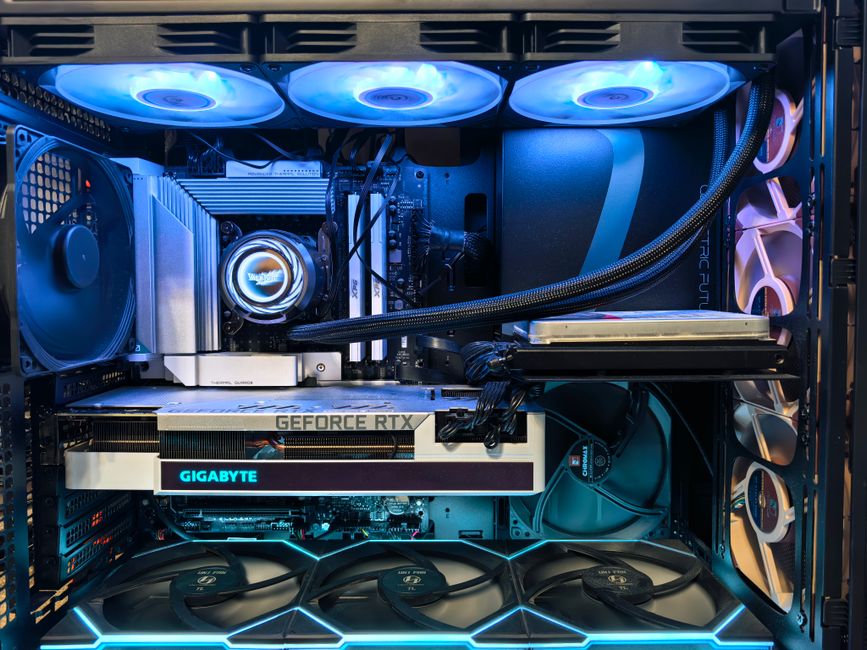
Developer machines often run at high CPU and GPU utilization for hours during compilation, model training, or stress testing. This generates significant heat. A robust cooling solution – either a high-quality air cooler or a 240mm/360mm AIO (All-In-One) liquid cooler – is essential to prevent thermal throttling, where your components automatically reduce their clock speed to prevent overheating. This throttling can silently degrade performance and extend your build times.
Experience: On a production rollout we shipped, the failure mode was subtle: an AI inference server running a custom TensorFlow model would intermittently throttle. We traced it back to inadequate CPU cooler performance during sustained 100% load, leading to thermal throttling that manifested as increased latency, a problem gaming benchmarks never exposed. We resolved it by upgrading to a 360mm AIO cooler and optimizing fan curves.
Similarly, a high-quality Power Supply Unit (PSU) with an 80 Plus Gold or Platinum rating is crucial. Modern CPUs and GPUs can exhibit significant transient power spikes, briefly drawing much more power than their rated TDP. A well-built PSU can handle these spikes without causing system instability or crashes. Modular PSUs also simplify cable management, improving airflow and aesthetics.
Recommended Developer PC Builds by Budget & Workload
Here are our recommended component tiers, balancing cost with optimal performance for various developer needs:
| Tier | GPU | RAM | CPU | Best For |
|---|---|---|---|---|
| Budget Developer (Value) | Used RTX 3060 (12GB) / New RX 6700 XT (12GB) | 32GB DDR4 (3200-3600MHz) | Ryzen 5 7600X / Intel Core i5-13600K | Web dev, containers, light ML inference, general programming. |
| Mid-Range Workhorse (Best Value LLM) | RTX 4070 SUPER (12GB) / RTX 4070 Ti SUPER (16GB) | 64GB DDR5 (6000-6400MHz) | Ryzen 7 7800X3D / Intel Core i7-14700K | Local LLMs (medium), ML dev, heavy compilation, virtualization, game development. |
| High-Performance Beast | RTX 4090 (24GB) | 128GB DDR5 (6000-6400MHz) | Ryzen 9 7950X3D / Intel Core i9-14900K | Large LLMs, complex ML training, 3D rendering, video editing, high-end data science. |
| The "False Economy" Build (Don't Bother) | Entry-level GTX 1650 (4GB) | 16GB DDR4 (2666MHz) | Older i5 / Ryzen 5 (4-6 cores) | Basic office tasks, struggles with containers, local LLMs, large project compilation. Quickly becomes a bottleneck. |
FAQ
Is 16GB VRAM enough for local LLMs in 2026?
For many smaller to medium-sized local LLMs (e.g., 7B-13B parameter models quantized to 4-bit), 16GB of VRAM is generally sufficient. However, for larger models (e.g., 70B+ parameter models) or for loading multiple models concurrently, you will likely hit VRAM limits and require 24GB or more.
Should I use DDR4 or DDR5 RAM for a new developer PC?
For a new developer PC build in 2026, DDR5 is strongly recommended. While DDR4 can still be found, DDR5 offers superior bandwidth and future-proofing, which benefits data-intensive development tasks, large compilations, and local AI workloads. Ensure your motherboard supports DDR5.
How important is CPU core count for web development?
CPU core count is very important for modern web development. Tasks like compiling large Next.js or React projects, running multiple Docker containers, or using local development servers benefit significantly from more cores. Aim for at least 8-12 powerful cores for a smooth, responsive experience.
When should I consider a multi-GPU setup?
Multi-GPU setups are generally complex and rarely cost-effective for a home developer workstation. They are primarily beneficial for specific, highly parallelized tasks like large-scale ML training or scientific simulations. For most local AI inference or development, a single powerful GPU with ample VRAM is far simpler and more efficient.
When NOT to use this approach
While building a custom developer workstation offers unparalleled performance and value, it's not always the right choice. If your primary work involves simple scripting, cloud-native development where most heavy lifting is remote, or if you require extreme portability, a high-end laptop or even cloud-based development environments might be more suitable. Additionally, if your budget is extremely constrained, a pre-built system (though often with compromises) might be a quicker entry point.
Need a Senior Engineering Team, Not Just a Faster Machine?
Even the fastest hardware can't solve complex architectural challenges or accelerate product delivery without the right human expertise. If you're looking to scale your development efforts, tackle ambitious projects, or need specialized AI integration, a dedicated team of senior engineers can make all the difference. Don't just upgrade your hardware; book a free consultation with Krapton to see how our principal-level software engineers can help.