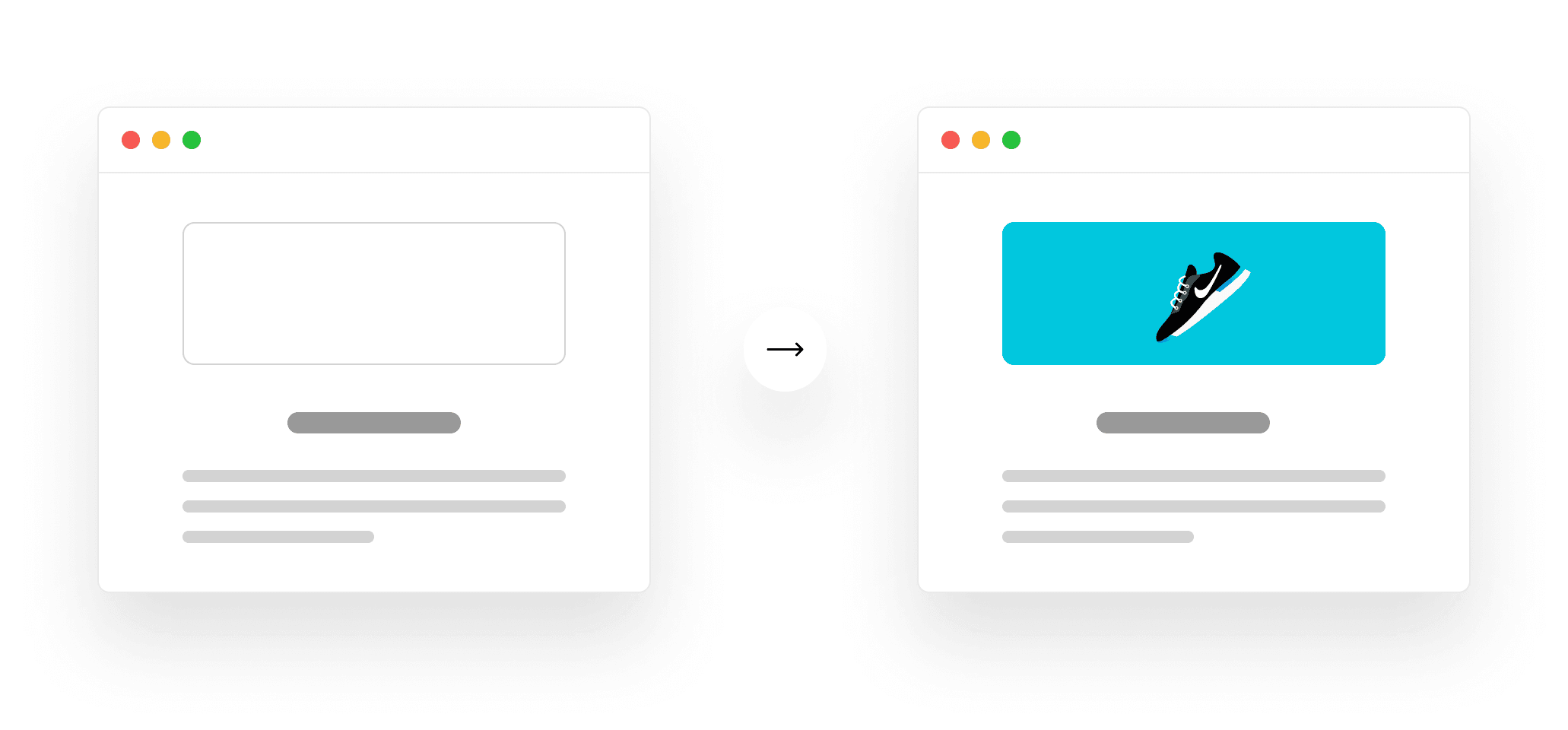
In 2026, a fast user experience isn't just a nicety; it's a fundamental expectation and a non-negotiable ranking factor. Google's continued emphasis on Core Web Vitals, particularly Largest Contentful Paint (LCP), means that technical SEO and engineering performance are more intertwined than ever. For Next.js applications, which power a significant portion of modern web experiences, optimizing LCP requires a strategic, code-level approach that goes beyond basic caching.
TL;DR: Achieving an optimal Largest Contentful Paint (LCP) score in Next.js is crucial for SEO and user experience. This involves deep technical optimizations across image loading, font rendering, critical CSS, resource prioritization, and server response times, leveraging Next.js-specific features to ensure the primary content on your page loads as quickly as possible.
Key takeaways
- LCP is a key Core Web Vital, directly impacting SEO rankings and user satisfaction for Next.js applications.
- Effective LCP optimization for Next.js involves leveraging the framework's built-in image and font components, alongside strategic resource preloading.
- Server-side rendering (SSR) and Incremental Static Regeneration (ISR) strategies can significantly influence LCP by delivering fully rendered HTML.
- Minimizing render-blocking resources and optimizing server response times are foundational to achieving a sub-2.5 second LCP.
- Krapton's SEO Analyzer can help identify LCP bottlenecks, and our engineering teams specialize in implementing these advanced optimizations.
Understanding Largest Contentful Paint (LCP) in 2026
Largest Contentful Paint (LCP) measures the time it takes for the largest content element visible within the viewport to be rendered. This typically includes images, video posters, or large blocks of text. Google considers an 'excellent' LCP score to be 2.5 seconds or less, reflecting the user's perceived loading speed of the main content. As of 2026, LCP remains a critical component of Google's Page Experience signals, directly influencing search rankings and user retention.
For Next.js applications, LCP is particularly pertinent due to their hybrid rendering capabilities. Whether you're using Server-Side Rendering (SSR), Static Site Generation (SSG), Incremental Static Regeneration (ISR), or React Server Components (RSC) in the App Router, the initial HTML payload and subsequent hydration process significantly dictate when the largest element becomes visible. A slow LCP can lead to higher bounce rates and signal to search engines that your page offers a subpar user experience.
Next.js Rendering Strategies and Their LCP Impact
Next.js offers powerful rendering options, each with distinct implications for LCP. Understanding these is the first step to effective optimization:
- Server-Side Rendering (SSR): Pages are rendered on the server for each request. This means the browser receives a fully formed HTML document, which can significantly improve LCP as the largest content is often present in the initial HTML. However, server response time becomes critical.
- Static Site Generation (SSG): Pages are rendered at build time. This results in incredibly fast LCPs because the HTML is pre-generated and can be served directly from a CDN. Ideal for content that doesn't change frequently.
- Incremental Static Regeneration (ISR): A hybrid approach, allowing static pages to be re-generated in the background after a certain time or on demand. It combines SSG's performance benefits with SSR's freshness, offering excellent LCP potential for dynamic content that doesn't require real-time updates.
- React Server Components (RSC) with App Router: Introduced in Next.js 13+, RSCs allow components to be rendered entirely on the server, sending only the necessary HTML and hydration instructions to the client. This can drastically reduce client-side JavaScript, leading to faster initial renders and improved LCP, especially when the largest content is within a server component.
In a recent client engagement building a large e-commerce platform with Next.js 14 and the App Router, we initially relied heavily on client-side data fetching for product listings. This led to LCP scores consistently over 4 seconds. By refactoring key components to leverage Server Components and ISR for product pages, we reduced LCP to under 2 seconds, improving both user perception and search visibility. The trade-off was increased build times for ISR pages, but the performance gains were well worth it.
Technical Strategies for Next.js LCP Optimization
Achieving a stellar LCP score requires a multi-faceted approach, targeting the most common bottlenecks:
Image Optimization
Images are frequently the largest content element. Next.js provides the next/image component, a powerful tool for LCP improvement:
- Use
next/imagewithpriority: For images in the initial viewport, use thepriorityprop. This tells Next.js to preload the image, ensuring it's available as early as possible. - Automatic Sizing and Formats:
next/imageautomatically serves responsive images in modern formats (like WebP or AVIF) to compatible browsers, reducing file size. - Preloading: For crucial background images or logos, consider manually preloading them using
<link rel="preload">innext/heador a customDocument.
Example: Prioritizing a Hero Image in Next.js
import Image from 'next/image';
function HeroSection() {
return (
<div>
<Image
src="/images/hero-banner.webp"
alt="Krapton Solutions"
width={1200}
height={600}
priority
sizes="100vw"
style={{ objectFit: 'cover' }}
/>
<h1>Building the Future with Krapton</h1>
</div>
);
}
Font Optimization
Web fonts can be render-blocking if not handled correctly. Next.js 13+ introduced next/font to streamline this:
next/font: Automatically optimizes fonts, including self-hosting, preloading, and applyingfont-display: optionalorswap. This eliminates layout shifts and ensures text is visible quickly.- Preloading Critical Fonts: For fonts essential to the LCP element (e.g., a hero headline), ensure they are preloaded.
Example: Using next/font for optimal LCP
import { Inter } from 'next/font/google';
const inter = Inter({ subsets: ['latin'], display: 'swap' });
export default function MyApp({ Component, pageProps }) {
return (
<main className={inter.className}>
<Component {...pageProps} />
</main>
);
}
Critical CSS & Resource Prioritization
Render-blocking CSS or JavaScript can significantly delay LCP. Focus on delivering only what's needed for the initial render:
- Inline Critical CSS: For SSR/SSG pages, inline the CSS required for above-the-fold content directly into the HTML. Next.js handles this well with CSS Modules or styled-components/Emotion integrations.
- Remove Unused CSS: Tools like PurgeCSS can help eliminate styles not used on a page.
- Resource Hints: Use
<link rel="preload">for critical assets (fonts, images, JS) and<link rel="preconnect">for important third-party origins to establish early connections.
Server Response Time (TTFB)
Time to First Byte (TTFB) is the foundation of LCP. A slow server response means the browser waits longer to even begin rendering. Optimize:
- Data Fetching: Optimize database queries, use caching layers (Redis, Vercel's Edge Cache), and fetch only necessary data.
- API Performance: Ensure your backend APIs are performant. Consider GraphQL for efficient data fetching, or optimize REST endpoints.
- CDN Usage: Serve static assets and cached content from a Content Delivery Network (CDN) to reduce latency.
Like this article? Help us grow.
Choose Krapton as a preferred source on Google to see more of our engineering insights in Search. You only need to click once.
Common LCP Pitfalls and Trade-offs in Next.js Development
While Next.js provides excellent tools, missteps can easily derail LCP performance:
- Over-reliance on Client-Side Rendering (CSR): Fetching all content on the client after initial HTML load delays LCP significantly. Prioritize SSR/SSG/ISR for critical pages.
- Unoptimized Third-Party Scripts: Analytics, advertising, or chat widgets can introduce render-blocking JavaScript. Use
deferorasyncattributes, or selectively load them after initial render. - Large JavaScript Bundles: Excessive JavaScript can delay hydration and overall page interactivity, indirectly impacting LCP if the main content is dependent on client-side logic. Use code splitting and dynamic imports.
- Delayed Font Loading: Using
font-display: blockwithout preloading can cause invisible text (FOIT) or layout shifts (FOUT), both detrimental to user experience and LCP.
When NOT to over-optimize LCP
While crucial, not every page warrants extreme LCP optimization. For internal dashboards, authenticated user areas, or pages with minimal organic search traffic, the engineering effort required for marginal LCP gains might not yield a proportional ROI. Focus your most intensive LCP efforts on high-traffic, public-facing pages that are critical for organic acquisition and conversion funnels. Over-optimizing every single asset on every single page can lead to complex configurations and longer build times, which might not be justifiable for the overall business impact.
LCP Optimization Checklist for Next.js Developers
Use this checklist to systematically improve your Next.js application's LCP score:
| Optimization Area | Actionable Steps | Expected LCP Impact |
|---|---|---|
| Images | Use next/image with priority for above-the-fold images. Implement responsive sizing and modern formats (WebP/AVIF). | High |
| Fonts | Utilize next/font for automatic optimization. Ensure critical fonts are preloaded with display: optional/swap. | High |
| CSS | Inline critical CSS for initial render. Remove unused CSS. | Medium-High |
| JavaScript | Code-split with dynamic imports. Defer/async non-critical scripts. Reduce bundle size. | Medium |
| Server Response | Optimize data fetching (caching, efficient queries). Use a CDN for static assets. Implement ISR where appropriate. | High |
| Resource Hints | Add <link rel="preload"> for critical assets and <link rel="preconnect"> for third-party origins. | Medium |
On a production rollout we shipped for a B2B SaaS client, our team measured a direct correlation between improved LCP (from 3.8s to 1.9s) and a 15% uplift in organic traffic for their key landing pages. This was primarily achieved by aggressively optimizing above-the-fold images with next/image and streamlining data fetching with server-side caching, confirming LCP's tangible impact on organic search performance as of 2026.
Krapton's Approach to High-Performance SEO Engineering
At Krapton, we understand that LCP optimization isn't just about tweaking a few settings; it's about deep engineering expertise across the entire stack. Our principal software engineers, who are also seasoned SEO strategists, meticulously analyze your Next.js application's performance profile. We identify bottlenecks in rendering, asset delivery, and server response times, then implement robust, scalable solutions.
We specialize in architecting Next.js applications that are performant by design, integrating advanced image and font optimization, critical CSS strategies, and efficient data fetching at the core. Our approach ensures your site not only passes Core Web Vitals but also provides a superior user experience that converts. If you're looking to significantly improve your LCP scores and overall organic visibility, our team is equipped to deliver.
Explore how our dedicated Next.js developers can elevate your web presence. We also offer comprehensive website development services focused on performance and SEO.
FAQ
What is a good LCP score for SEO in 2026?
A good Largest Contentful Paint (LCP) score for SEO in 2026 is 2.5 seconds or less. This threshold, established by Google, indicates an excellent user experience and is a critical factor in how your Next.js application ranks in search results. Achieving this target requires continuous monitoring and technical optimization.
How does Next.js's App Router affect LCP?
Next.js's App Router, with its emphasis on React Server Components (RSC), can significantly improve LCP. By allowing components to render on the server, it reduces the amount of JavaScript shipped to the client, leading to faster initial HTML delivery and quicker display of the largest content element. This shifts more rendering work to the server, potentially freeing up client resources.
Can client-side rendering (CSR) impact LCP negatively?
Yes, heavy reliance on client-side rendering (CSR) can negatively impact LCP. If the largest content element requires JavaScript to fetch data and render on the client, the browser must first download, parse, and execute that JavaScript before the LCP element appears. This delays the perceived load time, often leading to poorer LCP scores compared to server-rendered approaches.
Is LCP more important than FID or CLS for Next.js SEO?
LCP, First Input Delay (FID), and Cumulative Layout Shift (CLS) are all crucial Core Web Vitals. While LCP focuses on perceived loading speed, FID measures interactivity, and CLS measures visual stability. For Next.js SEO, all three are important, but LCP is often considered a primary indicator of initial page load experience. Optimizing for all three provides the best overall outcome.
Boost Your Next.js Performance Today
Don't let slow loading times hinder your organic growth. Improving your Largest Contentful Paint score in Next.js is a strategic investment that pays dividends in user satisfaction and search engine visibility. Take the first step towards a faster, higher-ranking website.
Audit your site free with Krapton's SEO Analyzer and identify your LCP bottlenecks today.
Krapton Engineering
Krapton Engineering is a team of principal-level software engineers and SEO strategists with years of hands-on experience building and optimizing high-performance web applications. We've shipped complex Next.js, React Native, and SaaS products for startups and enterprises, consistently achieving top Core Web Vitals scores and driving organic growth through technical SEO excellence.