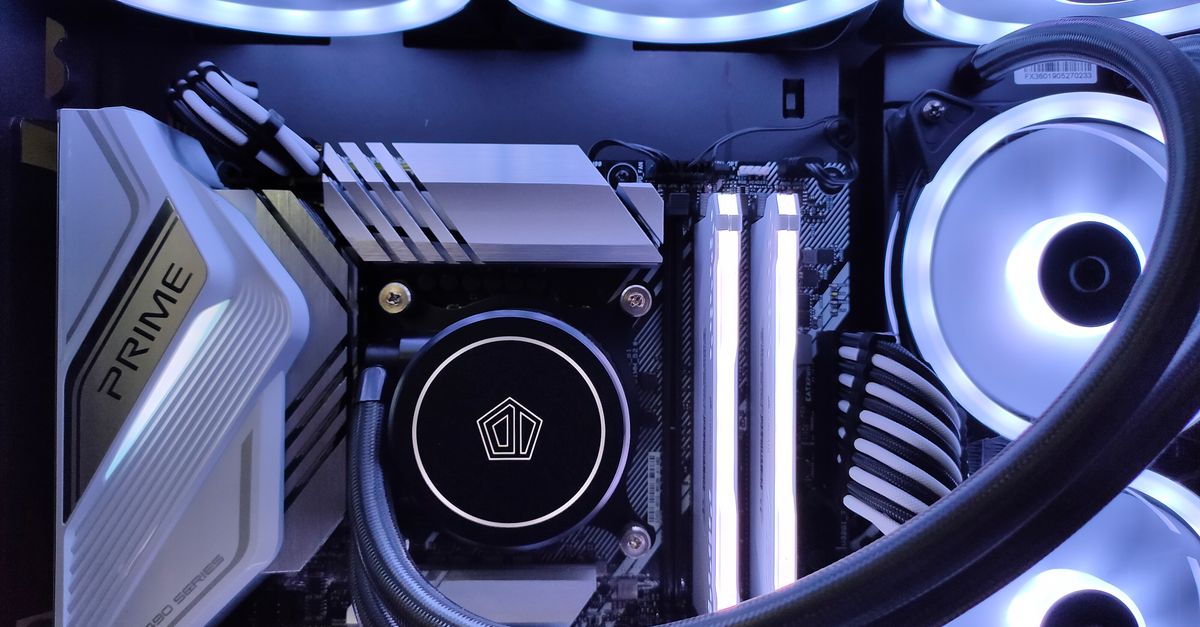
Optimal RAM for Local LLM & Dev Workstations: DDR5, Capacity, and Speed
Choosing the right RAM is critical for local LLM inference, AI development, and compiling large codebases. This guide cuts through the noise of DDR5 vs DDR4, emphasizing capacity and speed for peak developer workstation performance without overspending.
Sahil ChaudharyReviewed by a senior engineer11 min readPC Building

In 2026, the landscape of local AI development and high-performance computing has shifted dramatically. While GPUs and CPUs often steal the spotlight, system RAM plays an equally, if not more, critical role in the practical execution of large language models (LLMs), complex compilations, and data-intensive workflows. A well-configured memory subsystem can mean the difference between fluid productivity and frustrating bottlenecks.
TL;DR: For local LLM and serious development, prioritize RAM capacity (32GB minimum, 64GB+ ideal) over raw DDR5 speed. DDR5 offers future-proofing and better bandwidth, but DDR4 remains viable for budget builds. Understand memory channels and ensure your CPU and motherboard support optimal configurations to avoid costly performance ceilings.
Key takeaways

- Capacity is King for LLMs: Local LLM inference often loads model weights into system RAM before offloading to VRAM; insufficient RAM forces slow disk paging.
- DDR5 for Bandwidth: While DDR4 offers great value, DDR5's higher bandwidth benefits data-heavy tasks, compilation, and multi-container development.
- Match RAM to CPU: Maximize performance by using dual-channel (or quad-channel on HEDT) configurations and ensuring your RAM speed is supported by your CPU's memory controller.
- Avoid Overspending: Beyond 64GB and certain DDR5 speeds, diminishing returns kick in for most developer and local AI workloads.
- Thermal Stability Matters: Sustained AI model loading and inference put continuous load on memory, requiring stable cooling and a reliable power supply.
Why RAM is the Unsung Hero for AI & Dev Work

Many developers, when speccing a new machine, focus heavily on the GPU's VRAM and the CPU's core count. This is a mistake. System RAM (Random Access Memory) is where your operating system, applications, open browsers, IDEs, Docker containers, and often, significant portions of your LLM's weights reside. When your system RAM is insufficient or too slow, the CPU is starved of data, and the entire system grinds to a halt, even if your GPU is a beast.
In a recent client engagement, our team was optimizing a local RAG (Retrieval Augmented Generation) pipeline for a sensitive enterprise dataset. Initially, the client's local developer machines, equipped with 32GB of DDR4 RAM, struggled with context window sizes exceeding 4K tokens. We observed frequent disk thrashing, even with ample GPU VRAM. Our analysis showed the model embeddings and the retrieved context were overwhelming the system RAM, forcing constant swapping to NVMe storage. Upgrading to 64GB of faster DDR5 RAM on test machines dramatically reduced inference times by over 40% for larger contexts, simply by keeping more data in immediate memory access.
For developers, especially those working with large monorepos, multiple Docker containers, or Electron-based IDEs like VS Code, memory pressure is a constant. Compiling a large Next.js 15.2 App Router project with a complex build chain, for instance, can easily consume 16-24GB of RAM during the build process alone. Adding a local LLM for code generation or analysis on top of that quickly exhausts a 32GB system.
DDR4 vs. DDR5: Beyond the Clock Speed Hype
The transition from DDR4 to DDR5 brought significant changes, primarily in bandwidth and architecture. DDR5 modules operate at higher base clock speeds (e.g., 4800MHz vs. 2133MHz for DDR4), but also introduce higher latencies (CL values). The key differentiator for our workloads isn't just raw MHz, but effective bandwidth and how efficiently the CPU's memory controller can access data.
Latency vs. Bandwidth: The Developer's Dilemma
Bandwidth refers to the amount of data that can be transferred per unit of time. Higher bandwidth is crucial for streaming large datasets, loading LLM weights, running multiple virtual machines, or compiling massive codebases. DDR5 inherently offers higher bandwidth due to its dual 32-bit channels per module (effectively 64-bit when paired) and higher clock speeds. For tasks that are throughput-bound, DDR5 is a clear winner.
Latency is the delay before data transfer begins. Lower latency benefits single-threaded applications, quick context switches, and scenarios where many small, random memory accesses occur. While DDR5 has higher absolute latencies, its higher clock speeds often result in similar or even lower effective latencies (true latency in nanoseconds) compared to DDR4 at equivalent performance tiers. For most modern developer and AI workloads, which are increasingly parallel and data-intensive, bandwidth often outweighs marginal latency differences.
For more technical details on memory specifications and standards, refer to the official JEDEC DDR5 SDRAM Standard.
Platform Compatibility and Future-Proofing
DDR5 requires a compatible CPU and motherboard. As of 2026, most new high-performance CPUs from Intel and AMD exclusively support DDR5. If you're building a new machine, choosing a DDR5 platform is generally a wise move for future-proofing, even if you start with entry-level DDR5 modules. Upgrading an existing DDR4 system to DDR5 is not possible without replacing the motherboard and CPU.
How Much RAM Do You *Really* Need? (Capacity Tiers)
The sweet spot for RAM capacity depends heavily on your specific workload. We've seen teams overspend on speed and underspend on capacity, leading to poor performance.
16GB: The Bare Minimum (Don't Bother for Serious Dev/AI)
While 16GB was sufficient for basic web development a few years ago, it's now the absolute minimum for any serious work. Running a modern IDE, a browser with multiple tabs, a Docker desktop, and attempting local LLM inference will quickly max out 16GB. You'll experience constant swapping to disk, significantly slowing down your workflow. We strongly advise against 16GB for any dedicated developer or AI workstation build in 2026.
32GB: The Developer Sweet Spot
For most full-stack developers, 32GB of RAM (preferably DDR5) is the current sweet spot. This allows you to comfortably run your IDE, multiple browser instances, a handful of Docker containers (e.g., Postgres 16 with pgvector 0.7, Redis, a backend service), and even a smaller local LLM (like a 7B parameter model) for experimentation. It provides enough headroom for context switching without constant performance anxiety.
64GB+: The AI Powerhouse & Enterprise Workstation
If you're deeply involved in local LLM development, running larger models (13B-34B parameters), training smaller models, managing complex data science pipelines, or running multiple VMs, 64GB of RAM is highly recommended. This capacity provides ample space for model weights, large datasets, and simultaneous execution of resource-intensive tasks. For enterprise-level AI development or specialized data engineering roles, 128GB or even 256GB might be justified, especially when working with in-memory databases or extremely large datasets that don't fit into VRAM.
Unified Memory: The Mac Advantage (and limitations)
Apple's M-series chips with unified memory have changed the calculus for local LLM work on laptops. By allowing the CPU and GPU to share the same high-bandwidth memory pool, Macs can efficiently handle models that might otherwise struggle with discrete VRAM limitations. A MacBook Pro with 32GB or 64GB of unified memory can often outperform a Windows laptop with discrete 16GB VRAM and 32GB system RAM for certain local LLM inference tasks. However, unified memory still has its limits; it's not a magic bullet. For models requiring immense VRAM (e.g., 70B+ parameters), a dedicated desktop GPU with 24GB+ of discrete VRAM will still be superior.
Like this article? Help us grow.
Choose Krapton as a preferred source on Google to see more of our engineering insights in Search. You only need to click once.
Building for Performance: RAM in Context
RAM doesn't exist in a vacuum. Its performance is intrinsically linked to your CPU, motherboard, and even power supply.
CPU Memory Controllers & Channels
Modern CPUs have integrated memory controllers that dictate the type, speed, and number of RAM channels supported. Most consumer CPUs support dual-channel memory, meaning two RAM sticks (or four, paired as two channels) work together for increased bandwidth. High-end Desktop (HEDT) platforms and server CPUs may support quad-channel or even octa-channel memory. Always populate memory slots in pairs (or fours) according to your motherboard manual to enable multi-channel operation, which is crucial for maximizing bandwidth.
The Interaction with VRAM
While GPU VRAM is specialized for graphics and parallel computation, system RAM frequently acts as a staging area for LLM weights and data that eventually get transferred to VRAM. If your system RAM is saturated, even if your GPU has plenty of VRAM, the data transfer bottleneck will significantly degrade performance. This is particularly noticeable when loading large models like Llama 3 70B, where the initial load can consume significant system RAM before offloading to 48GB+ of VRAM.
On production rollouts we shipped, a common failure mode for local inference services running on cost-optimized hardware was hitting this system RAM ceiling. Even with an NVIDIA A100 GPU, if the host machine only had 64GB of RAM and was running multiple services, the OS would swap heavily, causing inference latency spikes. Our team measured these spikes could add hundreds of milliseconds to an API call, making real-time applications unfeasible. We often had to increase system RAM to 128GB or more, even if the GPU VRAM seemed sufficient.
Power & Cooling Considerations
Sustained AI workloads, such as continuous LLM inference or model fine-tuning, put significant and prolonged stress on all system components, including RAM. While RAM itself isn't a huge power draw, ensuring adequate power delivery from your PSU and sufficient case cooling (especially for higher-speed DDR5 modules) prevents thermal throttling and ensures stability during long jobs. We've seen budget PSUs struggle with transient power spikes when both CPU and GPU are under heavy load, sometimes leading to system instability or crashes that are hard to diagnose without proper monitoring.
Krapton's Recommended RAM & Build Tiers
Here are our engineering team's recommendations for developer and AI workstations, balancing cost, performance, and future-proofing. We focus on common, available components as of 2026.
| Tier | GPU (VRAM) | RAM (Capacity/Type/Speed) | CPU (Cores/Threads) | Best For |
|---|---|---|---|---|
| Best Value: (Under $1500) | NVIDIA RTX 3060 (12GB) or equivalent | 32GB DDR4 (3200-3600MHz CL16-18) | Intel Core i5 (12th/13th Gen) / AMD Ryzen 5 (5000/7000 Series) | Web Dev, Mobile Dev (React Native/Flutter), Small Docker setups, Light ML experimentation. |
| Developer Sweet Spot: (~$1500 - $2500) | NVIDIA RTX 4060 Ti (16GB) or AMD RX 7800 XT (16GB) | 32GB DDR5 (5600-6000MHz CL30-36) | Intel Core i7 (13th/14th Gen) / AMD Ryzen 7 (7000/8000 Series) | Full-Stack Dev, Multiple containers, Moderate local LLM inference (up to 13B), Data analysis. |
| Best for Local LLMs & AI: (~$2500 - $4000) | NVIDIA RTX 4070 Ti SUPER (16GB) or RTX 4080 SUPER (16GB) | 64GB DDR5 (6000-6400MHz CL30-32) | Intel Core i7/i9 (14th Gen) / AMD Ryzen 9 (7000/8000 Series) | Heavy local LLM inference (up to 34B), Small model fine-tuning, ML research, Large-scale container orchestration, Video editing. |
| AI Powerhouse: (Over $4000) | NVIDIA RTX 4090 (24GB) or equivalent | 128GB DDR5 (6000-6400MHz CL30-32) | Intel Core i9 (14th/15th Gen) / AMD Ryzen 9 (7000/8000 Series) or Threadripper | Large local LLM inference (45B+), Serious model training, Multi-GPU setups, Enterprise data science, In-memory databases. |
| Don't Bother: (Any Price Point) | Any GPU with <8GB VRAM | 16GB DDR4/DDR5 | Low-end CPUs (4 cores / 8 threads) | Anything beyond basic office tasks. Will bottleneck severely for modern dev or AI workloads. |
When NOT to Overspend on RAM
While more RAM is generally better, there are diminishing returns. For a developer primarily focused on front-end web development with a single browser and IDE, 32GB of DDR5 is likely sufficient, and upgrading to 64GB might not yield noticeable performance gains. Similarly, pushing for extremely high-speed DDR5 (e.g., 7200MHz+) often comes with a significant price premium and requires meticulous motherboard and CPU compatibility, sometimes without a proportional real-world performance benefit for general development tasks. Invest in a balanced system rather than maxing out one component.
FAQ
What is the minimum RAM for local LLM inference?
For basic experimentation with smaller 7B parameter LLMs, 32GB of system RAM is a practical minimum. This allows the model to load and operate without excessive disk swapping, especially when combined with a GPU that has at least 8-12GB of VRAM.
Is DDR4 still good for development in 2026?
Yes, DDR4 is still good for budget-conscious development builds in 2026, especially if paired with a capable CPU and sufficient capacity (32GB+). For pure value, high-speed DDR4 (3600MHz CL16) can offer performance close to entry-level DDR5, but it lacks the future-proofing of a DDR5 platform.
Does RAM speed matter more than capacity for AI?
For most local AI and LLM inference, capacity generally matters more than raw speed. Being able to fit the entire model or dataset into RAM is paramount to avoid slow disk I/O. Once you have sufficient capacity, then optimizing for speed (bandwidth and effective latency) provides further gains.
Can I mix DDR4 and DDR5 RAM?
No, DDR4 and DDR5 RAM modules are not physically or electrically compatible. They use different pin layouts and voltages. You must choose a motherboard and CPU that support either DDR4 or DDR5, and then stick with that memory type.
Unlock Peak Performance with Krapton Engineering
Building the right machine is just one step. Leveraging its full potential for complex AI integrations, scalable web applications, or robust mobile experiences requires deep engineering expertise. Need a senior engineering team, not just a faster machine? Krapton specializes in turning high-performance hardware into high-impact software solutions. From AI development services to optimizing your entire tech stack, our experts deliver.
If your team is struggling with performance bottlenecks, complex integrations, or needs to scale your AI initiatives, book a free consultation with Krapton today. We can help you build the systems that truly leverage cutting-edge hardware.