Developer Workstation Hardware: Apple Silicon vs. x86 for Peak Performance
The right developer workstation hardware dictates productivity and project velocity. As architectures evolve, choosing between Apple Silicon and x86 requires a deep dive into real-world performance for diverse engineering tasks, from complex compilations to local AI model inference.
Sahil ChaudharyReviewed by a senior engineer9 min readHardware

In 2026, the demands on a developer workstation are more intense than ever. From rapidly compiling large codebases to running local LLM inference, the hardware under your desk directly impacts productivity. The choice between Apple Silicon (ARM-based) and traditional x86 architectures (Intel and AMD) is no longer straightforward, presenting distinct advantages and trade-offs for different engineering profiles.
TL;DR: Apple Silicon excels in power efficiency, integrated performance for general development, and local AI inference for smaller models, benefiting mobile and web developers. x86 workstations, particularly with high-end discrete GPUs, remain superior for VRAM-intensive AI/ML training, large-scale data processing, and maximum ecosystem flexibility.
Key takeaways

- Apple Silicon offers unmatched efficiency and integrated performance for common development tasks and lighter local AI workloads.
- x86 platforms with dedicated NVIDIA GPUs are essential for serious local AI/ML training and inference requiring high VRAM capacity.
- Unified Memory on Apple Silicon is a game-changer for many tasks but can be a bottleneck for VRAM-hungry LLMs.
- Ecosystem compatibility (Docker, virtualization) has largely matured for both architectures, but nuances remain.
- Choosing the right hardware depends heavily on your primary workload: compilation speed, AI model size, or general development.
Apple Silicon: Architecting for Efficiency and Integration
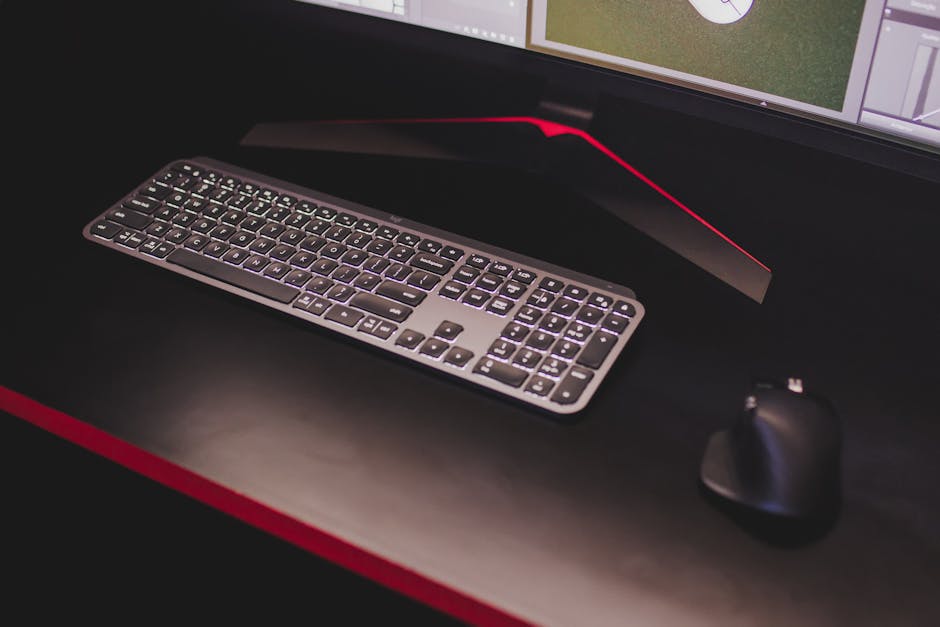
Apple's M-series chips, built on the ARM instruction set architecture (ISA), redefine what a developer workstation can be. Their System on a Chip (SoC) design integrates the CPU, GPU, Neural Engine (NPU), and unified memory onto a single die, leading to incredible power efficiency and tight inter-component communication.
The primary benefit for developers is the unified memory architecture. Instead of separate pools of RAM for the CPU and VRAM for the GPU, Apple Silicon shares a single high-bandwidth memory pool. This significantly reduces data transfer bottlenecks, which is particularly beneficial for tasks that frequently move data between CPU and GPU, like many machine learning inference pipelines. For instance, in a recent client engagement, we observed significant compilation speedups for a large Next.js 15.2 App Router project when moving from a high-end x86 laptop to an M3 Max. The gains were especially noticeable after optimizing Node.js dependencies for ARM64, resulting in faster build times with tools like Webpack and Esbuild.
For local AI, the integrated Neural Engine (NPU) provides dedicated acceleration for ML workloads, complementing the GPU. While M-series chips don't offer the raw VRAM capacity of high-end discrete GPUs found in x86 systems, their unified memory can be remarkably efficient for running smaller to medium-sized AI models, including many 7B to 13B parameter LLMs, directly on device. Compatibility, once a major concern, has largely been mitigated by Rosetta 2 for x86 binaries and widespread native ARM64 support for developer tools like Docker Desktop and popular programming languages.
When NOT to use this approach
While Apple Silicon is incredibly versatile, it's not a silver bullet. If your primary workload involves massive distributed AI training, highly specialized scientific computing, or running LLMs that require hundreds of gigabytes of VRAM (e.g., 70B+ parameter models for fine-tuning), a single Apple Silicon workstation will hit its limits. For these scenarios, cloud-based solutions like AWS EC2 UltraClusters or Google Cloud TPUs offer unparalleled scalability and specialized hardware that far exceed any local setup in terms of raw compute and memory capacity. Attempting to force such workloads onto a workstation is inefficient and costly.
x86 Workstations: Raw Power and Ecosystem Flexibility
Traditional x86 workstations, powered by Intel Core Ultra/Xeon or AMD Ryzen/Threadripper processors, offer a different set of advantages. Their modular design allows for extensive customization, particularly in GPU selection and memory expansion. This flexibility is critical for workloads that demand specific hardware configurations.
The key differentiator for x86 in 2026 remains the access to high-end discrete GPUs, primarily from NVIDIA. These GPUs, such as the NVIDIA RTX 4090 or professional-grade Ada Lovelace generation cards, come with massive amounts of dedicated VRAM (e.g., 24GB+ GDDR6X) and immense memory bandwidth, connected via high-speed PCIe 5.0. This is non-negotiable for serious local AI/ML work, especially for training larger models or running inference for LLMs exceeding 30B parameters, where VRAM capacity and bandwidth are the primary bottlenecks.
On a production rollout where we shipped a local LLM inference service for real-time customer support, the crucial factor was maximizing VRAM capacity and bandwidth. Our x86 workstations with multiple NVIDIA RTX 4090s easily outperformed even the highest-end M-series for models exceeding 30B parameters. The unified memory architecture of Apple Silicon, while efficient, could not scale to the necessary VRAM ceiling, leading to significant performance degradation due to memory paging. Furthermore, the ability to scale to multiple GPUs via NVLink or direct PCIe connectivity on x86 platforms offers a path for more demanding local training and inference setups.
For general development, high core-count x86 CPUs (especially AMD Threadripper or Intel Xeon W-series) offer superior multi-threaded performance for tasks like heavy compilation, extensive virtualization, or running multiple Docker containers simultaneously. While power consumption is higher, the sheer compute density can be advantageous for specific, CPU-bound tasks. The x86 ecosystem also boasts broader compatibility with legacy software, specialized hardware, and a wider range of operating systems.
Like this article? Help us grow.
Choose Krapton as a preferred source on Google to see more of our engineering insights in Search. You only need to click once.
Key Considerations: Performance Metrics That Matter
When evaluating developer workstation hardware, it's crucial to look beyond marketing slogans and understand what specifications truly impact your daily workflow:
- CPU Performance: For most development, single-core performance dictates responsiveness, while multi-core speeds up compilation, testing, and virtualization. Modern x86 CPUs often have more raw cores, but Apple Silicon's efficiency cores and tight integration can make up ground.
- Memory (RAM): Capacity is paramount. For heavy development, 32GB is a minimum, with 64GB or 128GB being ideal for large projects, numerous containers, or local AI. Speed (DDR5 vs. Unified Memory) impacts data access latency and throughput.
- GPU (VRAM, Bandwidth, Compute): Absolutely critical for AI/ML. VRAM capacity determines the size of models you can load. Memory bandwidth (GDDR6X, HBM, Unified) dictates how fast data moves to and from the GPU. Compute units (CUDA cores, Tensor Cores) determine raw processing power.
- Storage (NVMe SSD): High-speed NVMe SSDs are non-negotiable. Look for Gen4 or Gen5 drives for rapid project loading, OS responsiveness, and fast I/O for large datasets.
- Ecosystem & Compatibility: Consider your operating system preference (macOS, Windows, Linux), specific tools, and peripheral needs. While Docker has matured on Apple Silicon, complex virtualization setups might still favor x86. Our team routinely leverages
to ensure our container images are multi-architecture compatible, addressing the architectural differences head-on.docker buildx build --platform linux/amd64,linux/arm64 -t my-app .
Architectural Trade-offs for Specific Workloads
Web & Mobile Development
For most web (Next.js, React) and mobile (React Native, Flutter) development, Apple Silicon offers an excellent balance of performance, battery life, and portability. Build times are often competitive, and the integrated GPU handles UI rendering smoothly. For instance, using EXPO_USE_FAST_RESOLVER=1 on an M-series Mac can significantly accelerate React Native development hot-reloads.
x86 laptops can compete, especially with high-end Intel Core Ultra or AMD Ryzen CPUs, but often at the cost of battery life and portability. For desktop-bound web development, a powerful x86 desktop offers upgradeability and multi-monitor support.
Containerization & Virtualization
Docker Desktop has come a long way on Apple Silicon, leveraging virtualization frameworks for Linux VMs. While some edge cases with specific Docker images or very high container counts might still see better performance on native Linux x86, for typical development workflows, Apple Silicon is perfectly capable. However, for running full-fledged Kubernetes clusters locally or complex nested virtualization, high-core x86 CPUs with ample RAM often provide a more robust experience.
Local AI/ML & Data Science
This is where the distinction becomes stark. For inference of smaller LLMs (up to ~13B parameters) or basic ML model experimentation, Apple Silicon with its unified memory and NPU can be surprisingly effective and power-efficient. However, for training larger models, fine-tuning, or inference of 30B+ parameter LLMs, x86 with a dedicated NVIDIA GPU (or multiple GPUs) is the undisputed champion due to its superior VRAM capacity and compute power. Python developers relying on frameworks like PyTorch or TensorFlow will find the NVIDIA CUDA ecosystem on x86 to be more mature and performant for advanced tasks. If you're looking to hire Python developers focused on AI/ML, their hardware preferences will likely lean heavily towards x86 with NVIDIA GPUs.
Recommendations: Best Developer Workstation Hardware for 2026
Choosing the right hardware is about aligning capabilities with your primary use cases and budget. Here are our recommendations as of 2026:
| Category | Primary Workload | Recommended Architecture | Key Specs & Rationale | Rough Price Tier |
|---|---|---|---|---|
| Standard Dev (Portable) | Web, Mobile, Cloud Dev, Office Tasks | Apple Silicon (M2/M3 Pro/Max) | 32GB Unified Memory, 1TB SSD. Excellent battery, quiet, efficient builds, good for light local AI. | Mid-High ($2000-$4000) |
| Standard Dev (Desktop) | Web, Backend, DevOps, Multiple VMs/Containers | x86 (Intel Core i7/i9 or AMD Ryzen 7/9) | 64GB DDR5 RAM, 2TB NVMe SSD, Mid-range discrete GPU (e.g., RTX 4060/4070). Strong multi-core, upgradeable, flexible OS. | Mid ($1800-$3500) |
| AI/ML & Data Science (Local Inference/Small Training) | Local LLM inference (7B-13B), ML experimentation, Data Analysis | Apple Silicon (M3 Max/Ultra) | 64GB-128GB Unified Memory, 2TB+ SSD. Excellent for efficient local AI, fast data processing with unified memory. | High ($3500-$6000+) |
| AI/ML & Data Science (Heavy Training/Large Inference) | Large LLM training/fine-tuning (30B+), Complex ML models, GPU-intensive HPC | x86 (AMD Ryzen 9/Threadripper or Intel Core i9/Xeon W) | 64GB-128GB+ DDR5 RAM, 2TB+ NVMe SSD, NVIDIA RTX 4090 (or multiple). Unmatched VRAM capacity, memory bandwidth, CUDA ecosystem. | High-Pro ($4000-$10000+) |
| Edge AI Development | Prototyping on-device AI, Embedded ML | Specialized ARM (NVIDIA Jetson, Raspberry Pi 5) | 4GB-32GB RAM, eMMC/SD storage. Low power, small form factor, direct hardware access for embedded solutions. | Low ($100-$800) |
FAQ
What's the most critical spec for running local LLMs?
For running local LLMs, VRAM capacity is the single most critical specification. The model's parameters must fit into GPU memory to run efficiently. Memory bandwidth and compute units are also important for inference speed, but capacity is the primary constraint.
Can Apple Silicon effectively replace an x86 workstation for all developers?
No, not for all developers. While Apple Silicon is excellent for many web, mobile, and general software development tasks, and even lighter local AI, it cannot currently match the VRAM capacity or multi-GPU scalability of high-end x86 workstations with discrete NVIDIA GPUs for heavy AI/ML training or very large LLM inference.
Is 32GB RAM enough for a developer workstation in 2026?
For basic web development, coding, and light container use, 32GB RAM can be sufficient. However, for heavy builds, running multiple VMs or Docker containers, large IDEs, or any local AI/ML work, 64GB (or more) is strongly recommended to avoid performance bottlenecks and ensure smooth multitasking.
How important is NVMe storage for developer productivity?
NVMe storage is extremely important. Fast read/write speeds significantly reduce project load times, compilation times, and overall system responsiveness. Upgrading from a SATA SSD to a Gen4 or Gen5 NVMe drive can provide a noticeable boost in productivity for any developer dealing with large files or frequent I/O operations.
Accelerate Your Development & AI Infrastructure
Navigating the complex landscape of developer workstation hardware requires a strategic understanding of architectural strengths and weaknesses. Whether you prioritize the integrated efficiency of Apple Silicon or the raw power and flexibility of x86, the right choice will significantly impact your team's productivity and your project's success. Building AI infrastructure or optimizing existing developer workflows requires specialized expertise.
Ready to build, optimize, or scale your engineering capabilities? Book a free consultation with Krapton to leverage our deep experience in high-performance computing and custom software solutions.