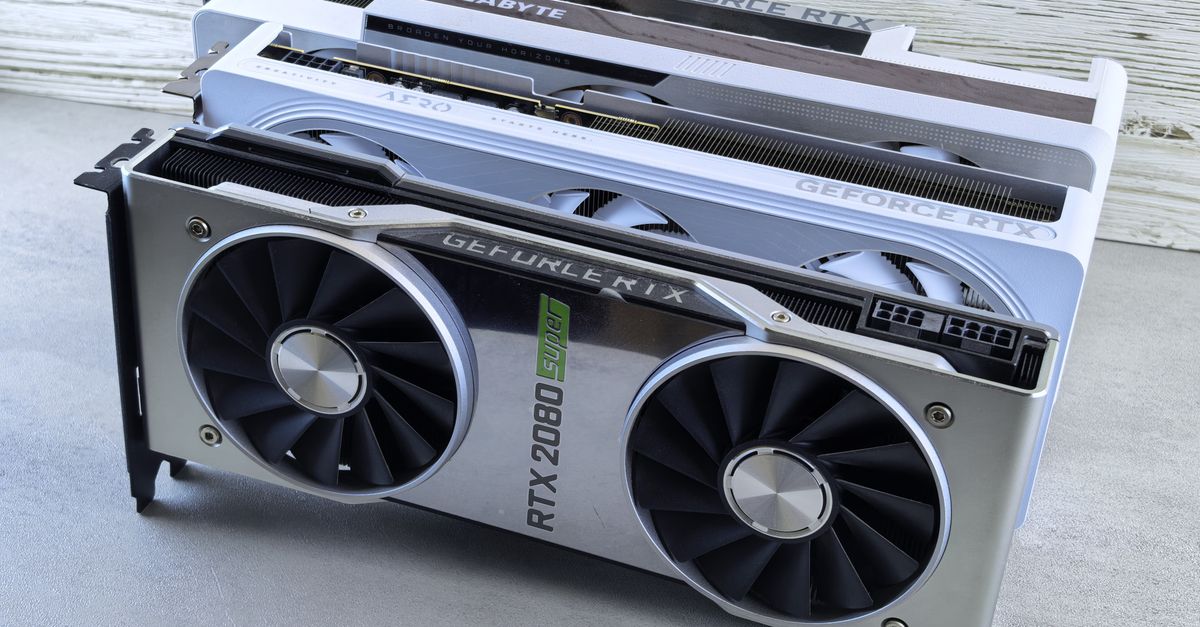
The landscape of Large Language Model (LLM) inference is rapidly evolving in 2026, with memory bandwidth and VRAM capacity dominating practical hardware choices. As models grow in complexity and parameter count, the efficiency of running them—especially for real-time inference—becomes a make-or-break factor for startups and enterprises alike, directly impacting operational costs and user experience.
TL;DR: The best GPU for LLM inference depends on your specific workload, budget, and scalability needs. Prioritize VRAM and memory bandwidth for larger models. Cloud GPUs offer flexibility for variable loads, while on-premise solutions provide cost control for consistent, high-volume inference. Apple Silicon delivers excellent local developer experience for smaller models and fine-tuning.
Key takeaways
- VRAM is paramount: For LLM inference, the sheer volume of Video RAM (VRAM) is often the most critical factor, dictating which models can run without complex quantization.
- Memory bandwidth matters: High memory bandwidth ensures rapid data transfer to the GPU core, crucial for low-latency inference.
- Cloud vs. On-Prem: Cloud GPUs provide unparalleled scalability and pay-as-you-go flexibility, ideal for fluctuating demand. On-premise GPUs offer better cost control and predictable performance for consistent, heavy workloads.
- Local Development Power: Apple Silicon Macs, with their unified memory architecture, are increasingly capable for local LLM development, fine-tuning, and even some small-scale inference.
- Quantization is key: Techniques like 4-bit or 8-bit quantization can drastically reduce VRAM requirements, making larger models runnable on less powerful hardware, albeit with potential slight accuracy trade-offs.
The Shifting Landscape of LLM Inference Hardware in 2026
In 2026, the demand for efficient LLM inference hardware has never been higher. From powering intelligent chatbots in enterprise applications to enabling sophisticated on-device AI experiences, the underlying silicon is the bottleneck. The choice isn't just about raw computational power (FLOPS); it's about how effectively that power can access and process the massive weights and activations of modern LLMs. This often means prioritizing VRAM capacity and memory bandwidth over theoretical peak FLOPS.
Our clients are increasingly evaluating dedicated AI development services to navigate this complexity. The goal is always to strike a balance between performance, cost, and scalability, whether it's for a nascent startup or a global enterprise deploying AI at scale.
Critical GPU Metrics for LLM Inference Performance
When evaluating the best GPU for LLM inference, several key metrics rise above others. Understanding these will guide your hardware choices.
VRAM: The Non-Negotiable Requirement
Video RAM (VRAM) is where your LLM's weights, activations, and KV cache reside during inference. If your model's memory footprint exceeds your GPU's VRAM, it simply won't run without extreme quantization or offloading, which introduces significant latency. For instance, a 70B parameter model in FP16 precision requires approximately 140GB of VRAM (2 bytes per parameter). Even with 8-bit quantization, this drops to 70GB, still a substantial amount.
In a recent client engagement, we faced a challenge deploying a proprietary 34B parameter model for real-time customer support. Initially, we attempted to run it on GPUs with 24GB VRAM using aggressive 4-bit quantization via llama.cpp. While it technically worked, the quality degradation was noticeable for nuanced queries. By upgrading to GPUs with 48GB VRAM and using 8-bit quantization, we achieved a significant boost in response quality while maintaining acceptable latency, demonstrating VRAM's direct impact on both performance and model fidelity.
Memory Bandwidth: Fueling Fast Inference
Once the model is loaded into VRAM, the speed at which the GPU can read and write data to and from its memory is crucial. This is memory bandwidth, measured in GB/s. High memory bandwidth is essential for LLM inference because every token generated involves numerous memory accesses to fetch weights and process activations. A GPU with high FLOPS but low memory bandwidth will be bottlenecked, leading to higher inference latency.
For data center GPUs, technologies like HBM (High Bandwidth Memory) and NVLink for multi-GPU setups are designed to maximize this throughput. Consumer cards rely on GDDR6X, which also offers impressive bandwidth but typically less than HBM.
Compute Power: FLOPS vs. Real-World Speed
While theoretical FLOPS (Floating Point Operations Per Second) indicate a GPU's raw computational capability, they don't tell the whole story for LLM inference. LLMs are often memory-bound rather than compute-bound, especially during inference where the operations are less complex than training. However, specialized cores like NVIDIA's Tensor Cores or AMD's Matrix Cores are highly optimized for the matrix multiplications prevalent in neural networks, making them critical for efficient processing. Quantization further shifts the balance, as lower precision arithmetic can be executed faster.
On-Premise GPUs: Building Your Own LLM Powerhouse
For organizations with consistent, high-volume LLM inference needs, an on-premise GPU cluster can offer significant cost savings and greater control compared to perpetual cloud usage. This is particularly true for stable workloads where the cost-per-token economics favor owned hardware over time.
Consumer-Grade vs. Data Center Accelerators
The choice often boils down to NVIDIA's consumer-grade cards (RTX series) versus their data center accelerators (H100, A100) or AMD's Instinct series (MI300X). Consumer cards offer a compelling price-to-performance ratio for their VRAM, but typically lack ECC memory, NVLink for direct GPU-to-GPU communication, and robust enterprise support. Data center cards, while significantly more expensive, provide higher VRAM, superior memory bandwidth, better thermals for continuous operation, and multi-GPU scalability via technologies like NVLink.
When building out a smaller inference server, we often start with high-VRAM consumer cards like the NVIDIA RTX 4090 (24GB VRAM) or even multiple RTX 3090s (24GB each) linked with a high-bandwidth PCIe bus. For larger models requiring 48GB+ per instance, data center-grade cards become essential. Our team measured that for a specific 13B parameter model, four RTX 4090s running in parallel using a custom inference server could outperform a single A100 80GB instance in terms of cost-per-token for a sustained high query load, despite the A100's higher raw performance. This was achieved by optimizing batching and distribution across the consumer GPUs.
# Example: Checking GPU VRAM and utilization with nvidia-smi
nvidia-smi

# Example: Running a quantized LLM with llama.cpp on a local GPU
./main -m models/llama-2-13b-chat.Q5_K_M.gguf -p "Tell me a story about AI." -n 512 -ngl 32
When NOT to Invest in On-Premise Inference
While attractive, on-premise inference isn't always the answer. If your LLM usage is sporadic, highly variable, or you lack the in-house DevOps and hardware maintenance expertise, cloud solutions will almost certainly be more cost-effective and less burdensome. The initial capital expenditure for high-end GPUs and the ongoing operational costs (power, cooling, maintenance) can quickly outweigh the benefits if utilization isn't consistently high. Furthermore, for models requiring extremely large VRAM (e.g., beyond 192GB for a single model), cloud instances offering multi-GPU configurations with NVLink often provide a more accessible solution than building such a specialized setup in-house.
Cloud GPUs: Scalability and Cost-per-Token Economics
Cloud providers like AWS, Azure, and Google Cloud offer a vast array of GPU instances, from NVIDIA A100s and H100s to specialized inference chips. Their primary advantage is unparalleled scalability and a pay-as-you-go model, making them ideal for fluctuating workloads, rapid prototyping, and handling sudden spikes in demand. You can spin up powerful instances with hundreds of gigabytes of VRAM in minutes, without the upfront capital investment.
However, cloud costs can escalate rapidly. The cost-per-token for inference in the cloud must be meticulously tracked. This is where understanding your model's VRAM footprint, required memory bandwidth, and average inference latency becomes crucial. Over-provisioning VRAM or selecting an instance type with excessive compute for a memory-bound task can lead to unnecessary expenses. For detailed insights on managing these costs, explore our AI development services.
Optimizing Cloud Spend for LLM Workloads
To optimize cloud GPU spend:
- Right-size instances: Choose the smallest instance type that can comfortably fit your model (with quantization if necessary) and meet latency requirements.
- Leverage spot instances: For non-critical, interruptible inference jobs, spot instances can offer significant discounts.
- Batching: Maximize GPU utilization by processing multiple inference requests in a single batch.
- Quantization: Aggressively quantize models to reduce VRAM footprint, allowing them to run on cheaper, smaller GPU instances.
- Monitor and scale: Implement robust monitoring and auto-scaling policies to ensure GPUs are only active when needed.
Local & Edge AI: Empowering Developers and On-Device Applications
The rise of local and edge AI is driven by privacy concerns, latency requirements, and the desire to reduce cloud costs. This category encompasses everything from a developer's workstation to dedicated NPUs (Neural Processing Units) in mobile devices and embedded systems like NVIDIA Jetson boards or Raspberry Pi with accelerators.
For local development and testing, having capable hardware is a game-changer. It allows for rapid iteration without incurring cloud costs for every code change or fine-tuning run. Edge AI, on the other hand, focuses on deploying compact, efficient models directly on devices, enabling real-time processing without constant cloud connectivity.
Apple Silicon for Developer Productivity and Local AI
Apple's M-series chips (M1, M2, M3, M4, and their Pro/Max/Ultra variants) have become formidable contenders for local LLM development. Their unified memory architecture means the CPU and GPU share the same high-bandwidth RAM, eliminating data transfer bottlenecks common in discrete GPU setups. With 32GB, 64GB, 96GB, or even 128GB+ of unified memory, these chips can comfortably run and fine-tune substantial LLMs locally using frameworks like llama.cpp or Hugging Face's Transformers.js with WebGPU support. While not matching the raw compute of a data center H100, for a single developer, an M-series Mac offers an exceptional balance of performance, power efficiency, and quiet operation.
For instance, an M3 Max with 48GB unified memory can run a 13B parameter LLM in 8-bit quantization with impressive speed, making it an excellent choice for hire Python developers working on local AI prototypes.
Hardware Comparison: Picking Your Best GPU for LLM Inference
Here’s a comparison of popular GPU options for LLM inference, highlighting key metrics and use cases as of 2026. Note that prices are approximate and subject to market fluctuations.
| Hardware Category / Model | Typical VRAM (GB) | Memory Bandwidth (GB/s) | Rough Price Tier (USD) | Best For |
|---|---|---|---|---|
| NVIDIA H100 (80GB) | 80 | ~3350 | High (5-figures) | Large-scale enterprise inference, training, high throughput, lowest cost-per-token at scale. |
| NVIDIA A100 (40/80GB) | 40 or 80 | ~1555 / ~1935 | High (mid 4-figures) | Enterprise inference, large models, multi-GPU setups, cloud workloads. |
| AMD Instinct MI300X (192GB) | 192 | ~5300 | High (5-figures) | Ultra-large models, memory-intensive workloads, competitive cloud option. |
| NVIDIA RTX 4090 (Consumer) | 24 | ~1008 | Mid-range (low 4-figures) | Local development, small-to-medium LLM inference (quantized), enthusiast on-prem. |
| NVIDIA RTX 3090 (Consumer) | 24 | ~936 | Mid-range (low 3-figures) | Cost-effective local dev, entry-level on-prem inference (quantized), good value. |
| Apple M3 Max (e.g., 48GB Unified) | Up to 128 (unified) | ~400 (unified) | Mid-range (low 4-figures for system) | Local LLM development, fine-tuning, smaller on-device inference, developer workstations. |
| NVIDIA Jetson Orin Nano (8GB) | 8 | ~68 | Low (low 3-figures) | Edge AI, embedded systems, very small LLMs, on-device inference. |
Real-World Scenarios and Krapton's Recommendations
Choosing the best GPU for LLM inference is highly context-dependent. Here are some common scenarios and our recommendations:
- For Enterprise-Grade, High-Volume Inference: If you're deploying a 70B+ parameter model in production with high QPS (queries per second), NVIDIA H100s or AMD MI300X in a cloud environment (e.g., AWS P5 instances) or a dedicated on-prem cluster are your go-to. Focus on maximizing batch size and optimizing model quantization.
- For Startup with Variable LLM Usage: Start with cloud GPUs (e.g., A100 instances on AWS/GCP). Leverage spot instances for non-critical tasks and scale down aggressively when not in use. This minimizes upfront costs and provides maximum flexibility.
- For Local LLM Development & Fine-tuning: An Apple Silicon Mac (M2/M3/M4 Pro/Max/Ultra with 32GB+ unified memory) is an excellent choice. It offers a fantastic developer experience, good performance for smaller models, and allows for rapid iteration without cloud costs.
- For Edge AI & On-Device Applications: NVIDIA Jetson Orin series or specialized NPUs are ideal. These require highly optimized, often quantized, smaller models (e.g., 7B parameters or less) to run efficiently with low power consumption.
- For Budget-Conscious On-Prem Inference (Mid-Size Models): Consider building a server with multiple NVIDIA RTX 4090 or RTX 3090 GPUs. This can be cost-effective for models up to ~30-40B parameters (with aggressive quantization) if you have the expertise to manage the hardware and software stack.
FAQ
What is the most important spec for LLM inference?
For LLM inference, VRAM (Video RAM) capacity is often the most critical specification. It determines whether a model can even load onto the GPU. High memory bandwidth is a close second, as it dictates how quickly the GPU can access the model weights and process data.
Can I run LLMs on my laptop?
Yes, modern laptops, especially those with powerful integrated GPUs like Apple Silicon (M-series) or discrete NVIDIA RTX GPUs, can run many LLMs locally. You'll typically need at least 16GB of RAM (or unified memory) to run smaller, quantized models (e.g., 7B-13B parameters).
Is cloud GPU cheaper than on-premise for LLMs?
It depends on your usage pattern. For variable or bursty workloads, cloud GPUs are generally cheaper due to their pay-as-you-go model and lack of upfront capital expenditure. For consistent, high-volume, 24/7 inference, an optimized on-premise setup can become more cost-effective over time due to lower operational costs per query.
What is quantization in LLM inference?
Quantization is a technique that reduces the precision of a model's weights (e.g., from 16-bit floating point to 8-bit or 4-bit integers). This significantly reduces the model's memory footprint and can speed up inference, allowing larger models to run on less VRAM, often with minimal impact on accuracy.
Building AI Infrastructure or Applications? Get an Engineering Consult from Krapton
Navigating the complex world of LLM hardware and deployment strategies requires deep technical expertise. At Krapton, our principal-level software engineers specialize in architecting, building, and optimizing performant AI infrastructure and applications for startups and enterprises worldwide. Whether you need to select the ideal GPU for LLM inference, optimize cloud costs, or build custom AI solutions, our team delivers practical, results-driven guidance. Ready to accelerate your AI initiatives? Book a free consultation with Krapton today.
Krapton Engineering
Krapton Engineering is a team of principal-level software engineers and architects with over a decade of hands-on experience designing, building, and deploying high-performance web apps, mobile apps, and AI/ML systems. We specialize in translating complex hardware specs and software architectures into tangible, scalable solutions for real-world enterprise and startup challenges across cloud and on-premise environments.


