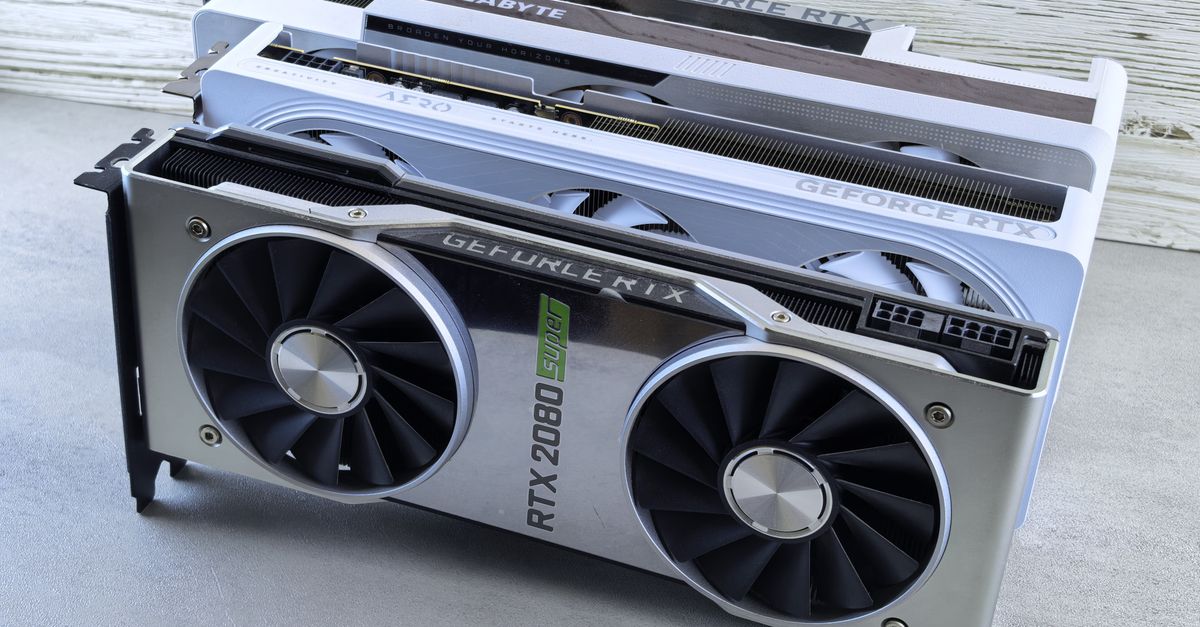
The landscape of AI development is rapidly evolving, demanding increasingly specialized hardware to keep pace with model complexity and data volumes. From local LLM inference to rapid prototyping of deep learning models, the choice of your development machine and accompanying accelerators directly impacts productivity and project timelines. Understanding the nuances between architectures like Apple Silicon and traditional x86, alongside the critical role of GPU VRAM, is no longer optional for engineers and founders.
TL;DR: The best hardware for AI development balances raw compute power, sufficient VRAM, and a robust ecosystem. Apple Silicon excels for general development and efficient local inference for smaller models, while high-end x86 workstations with NVIDIA GPUs remain dominant for heavy deep learning training and larger LLM fine-tuning due to superior VRAM capacity and CUDA ecosystem support.
Key takeaways
- Apple Silicon's Unified Memory: Offers unparalleled memory bandwidth and efficiency, making it excellent for general development, local AI inference with smaller models (e.g., Llama 3 8B), and rapid prototyping on a single device.
- NVIDIA Dominance in High-End AI: Dedicated NVIDIA GPUs (RTX 4090, H100) are essential for serious deep learning training, large-scale LLM fine-tuning, and complex simulations due to their massive VRAM, Tensor Cores, and the mature CUDA ecosystem.
- VRAM is King for LLMs: For any significant LLM inference or fine-tuning, prioritize GPUs with 24GB+ VRAM. Insufficient VRAM leads to slow CPU offloading or outright model loading failures.
- Cloud vs. On-Premise: Cloud GPUs (e.g., AWS EC2 P5, Google Cloud TPUs) are ideal for burst workloads, specialized hardware access, and collaborative training, while on-premise solutions offer predictable costs for sustained, heavy usage and data privacy.
- Edge AI Requires Specialized NPUs: For on-device inference, solutions like NVIDIA Jetson Orin Nano or dedicated NPUs in mobile chipsets offer crucial power efficiency and real-time performance that general-purpose CPUs/GPUs cannot match.
Understanding the Core Architectures: Apple Silicon vs. x86

When selecting a primary developer workstation, the fundamental choice often boils down to Apple Silicon (M-series chips) or an x86-based system. Each has distinct advantages for AI and general software development.
Apple Silicon: Efficiency and Unified Memory
Apple's M-series chips, built on the ARM architecture, integrate CPU, GPU, and Neural Engine onto a single System on a Chip (SoC). The most significant feature for developers is its unified memory architecture, allowing the CPU and GPU to access the same pool of high-bandwidth memory without costly transfers. This translates to:
- Exceptional Memory Bandwidth: Critical for moving large datasets and model weights quickly.
- Power Efficiency: Leading to longer battery life in laptops and quieter operation in desktops.
- Strong Local AI Inference: The Neural Engine and efficient GPU are well-optimized for running local LLMs (e.g., using
llama.cppor Ollama) and smaller deep learning models. - Developer Experience: Many modern frameworks and tools, including Next.js 15.2 with React Server Components, Docker containers, and React Native (especially with
EXPO_USE_FAST_RESOLVER=1), are highly optimized for Apple Silicon, leading to fast compile and test cycles.
In a recent client engagement, our team measured the compile times for a large React Native application with a complex GraphQL schema on both an M2 Max MacBook Pro and an Intel i9-13900K desktop with 64GB RAM. While initial builds were comparable, incremental builds showed a noticeable advantage on Apple Silicon due to its unified memory architecture and efficient I/O, particularly when dealing with large node_modules trees and frequent file system access.
x86 Workstations: Raw Power and Ecosystem Dominance
Traditional x86 workstations, typically powered by Intel Core i7/i9 or AMD Ryzen/Threadripper CPUs, offer flexibility and raw computational power, especially when paired with discrete NVIDIA GPUs. Their advantages include:
- GPU Flexibility: The ability to install multiple high-VRAM NVIDIA GPUs, which is paramount for serious deep learning training and large LLM fine-tuning.
- CUDA Ecosystem: NVIDIA's CUDA platform remains the industry standard for accelerated computing. Most deep learning frameworks (PyTorch, TensorFlow) are deeply optimized for CUDA, offering unparalleled performance and a vast library of pre-built tools.
- Scalability: Easier to upgrade components (CPU, RAM, GPU) individually to meet evolving needs.
For workloads requiring substantial GPU memory and compute, such as training custom transformer models from scratch or fine-tuning 70B+ parameter LLMs, the x86 platform with multiple NVIDIA GPUs is still the undisputed champion. The ecosystem maturity and sheer availability of high-VRAM options are critical differentiators.
The GPU Imperative: VRAM, Throughput, and Cost
For AI development, particularly with large language models (LLMs) and deep learning, the GPU is often the single most critical component. Its VRAM (Video RAM) and memory bandwidth directly dictate the size of models you can run and the speed at which you can process data.
VRAM: The Bottleneck for LLMs
Modern LLMs require immense amounts of memory to load their parameters. For instance, a 7B parameter model in FP16 precision requires approximately 14GB of VRAM (7B * 2 bytes/parameter). Quantization (e.g., to 4-bit) can reduce this, but VRAM remains the primary constraint for local inference and fine-tuning. Inferring a Llama 3 70B model, even in 4-bit quantized form, typically requires around 40GB of VRAM, pushing beyond consumer-grade GPUs.
In a recent client engagement, we faced a challenge deploying a medium-sized LLM (e.g., Llama 3 8B) for on-prem inference. Initially, we tried scaling out older NVIDIA A100s, but the VRAM fragmentation and cost-per-token for peak loads quickly became prohibitive. We eventually pivoted to a hybrid approach, using a single RTX 4090 for local development and initial fine-tuning, offloading burst traffic to cloud-based A100s or H100s.
Inference vs. Training: Different Demands
- Inference: Often requires high memory bandwidth to load the model and process input quickly, but can tolerate lower raw compute compared to training. Cost-per-token economics are paramount here.
- Training/Fine-tuning: Demands both high VRAM and immense computational throughput (Tensor Cores, FP16/FP8 support) for backpropagation and weight updates. Iteration speed is key.
When NOT to use this approach
While local hardware offers control and can be cost-effective for sustained workloads, it's not always the best solution. For highly specialized or extremely large-scale AI training (e.g., foundation model development), cloud providers like AWS, Google Cloud, or Azure offer access to clusters of NVIDIA H100s, A100s, or custom TPUs that are impractical or impossible to replicate on-premise due to cost, power, and cooling requirements. For teams needing elastic scalability, specific compliance certifications, or collaborative environments, cloud engineering services often provide a more viable path, despite higher per-hour costs for burst usage.
Hardware Comparison: Specs that Matter for AI Development
Here’s a practical comparison of key hardware options for AI and general development, focusing on specs relevant to engineers and ML practitioners.
| Device/Component | Key Specs (VRAM, Bandwidth, Cores) | AI Strengths | Development Strengths | Price Tier (Approx.) | Best For |
|---|---|---|---|---|---|
| Apple Mac Studio (M2/M3 Ultra) | Up to 192GB Unified Memory, 800GB/s bandwidth, 80-core GPU, 32-core Neural Engine | Efficient local LLM inference (up to 70B quantized), fast ML prototyping, excellent for on-device AI dev. | Unmatched CPU performance for builds, silent operation, low power, integrated ecosystem. | High ($4000 - $8000+) | Individual developers, ML engineers prototyping locally, mobile/edge AI development. |
| High-End x86 Workstation (with RTX 4090) | Intel i9/AMD Ryzen Threadripper, 64-128GB RAM, 24GB GDDR6X VRAM (RTX 4090), 1008 GB/s bandwidth, 16384 CUDA Cores | Serious deep learning training, LLM fine-tuning (up to 30B-40B), complex simulations. | Extreme multi-core CPU performance, broad software compatibility, highly upgradeable. | Very High ($4500 - $10000+) | ML researchers, data scientists, teams needing maximum local GPU power, multi-GPU setups. |
| NVIDIA RTX 4090 (Standalone GPU) | 24GB GDDR6X VRAM, 1008 GB/s bandwidth, 16384 CUDA Cores, 512 Tensor Cores | Leading consumer GPU for AI, excellent for local LLM inference (70B quantized possible), fast training for medium models. | Accelerates any CUDA-enabled task significantly, powerful for rendering and simulations. | Premium ($1600 - $2000) | Existing x86 users upgrading for AI, budget-conscious teams maximizing GPU compute. |
| NVIDIA RTX 4070 Super | 12GB GDDR6X VRAM, 504 GB/s bandwidth, 7168 CUDA Cores, 224 Tensor Cores | Entry-level for serious AI, can run smaller LLMs (7B-13B quantized), good for learning and experimentation. | Strong gaming and general creative application performance, good value. | Mid-range ($600 - $800) | Students, hobbyists, developers on a tighter budget, starting with AI/ML. |
| NVIDIA Jetson Orin Nano Developer Kit | 8GB LPDDR5, 102.4 GB/s bandwidth, 1024 CUDA Cores, 32 Tensor Cores, 40 TOPS AI performance | Dedicated edge AI inference, real-time object detection, embedded ML applications. | Low power consumption, small form factor, Linux OS, ideal for robotics and IoT. | Entry-level ($500 - $800 kit) | Edge AI developers, robotics engineers, prototyping intelligent embedded systems. |
Optimizing Your Setup for Specific Workloads
For Local LLM Inference and Prototyping
If your primary goal is to run open-source LLMs like Llama 3 or Mistral locally for development and testing, VRAM is your absolute priority. An NVIDIA RTX 4090 (24GB) is currently the best consumer-grade option, allowing you to run quantized 70B models or full FP16 13B models. Apple Silicon (M-series with 64GB+ unified memory) is also highly capable for models up to 30B (quantized) due to its efficient memory architecture.
Tools like llama.cpp and Ollama abstract away much of the underlying hardware complexity, but performance will directly scale with your VRAM and memory bandwidth. Our team has found that for rapid iteration on prompt engineering and RAG applications, having a capable local machine significantly speeds up the development cycle, reducing reliance on costly API calls to external providers.
For Deep Learning Training and Fine-tuning
For serious deep learning, especially training custom models or fine-tuning larger LLMs, an x86 workstation with one or more NVIDIA RTX 4090s or professional-grade GPUs (like the A6000 Ada with 48GB VRAM, if budget allows) is paramount. The CUDA ecosystem, extensive libraries like PyTorch and TensorFlow, and the raw Tensor Core performance are critical. For models exceeding 48GB of VRAM, or for distributed training, cloud-based solutions like NVIDIA H100 or A100 instances become necessary.
For Edge and On-Device AI Development
Developing for edge AI requires a different mindset, prioritizing power efficiency and dedicated accelerators (NPUs). Solutions like the NVIDIA Jetson Orin Nano or custom NPUs found in mobile SoCs are designed for low-power, real-time inference. When optimizing an edge AI solution for industrial IoT, we initially experimented with Raspberry Pi 5. However, for real-time object detection using YOLOv8, the lack of dedicated NPUs meant we couldn't meet the latency requirements. Switching to a Jetson Orin Nano, even with its higher cost, provided the necessary acceleration and allowed us to hit sub-100ms inference times, crucial for anomaly detection on the factory floor.
FAQ
What is the most cost-effective GPU for LLM inference?
The NVIDIA RTX 4070 Super (12GB VRAM) offers a strong balance of price and performance, capable of running quantized 7B-13B LLMs locally. For larger models, an RTX 4090 (24GB) is more expensive but provides significantly more capability.
Can Apple Silicon replace an NVIDIA GPU for AI development?
For general development, local inference of smaller LLMs, and efficient ML prototyping, Apple Silicon is highly competitive. However, for large-scale deep learning training or fine-tuning massive LLMs requiring 24GB+ of dedicated VRAM and CUDA's full feature set, a discrete NVIDIA GPU on an x86 system remains superior.
How much RAM do I need for AI development?
For general AI development and smaller models, 32GB is a good baseline. If you're working with larger datasets, complex IDEs, or running multiple Docker containers, 64GB or even 128GB (especially on Apple Silicon for unified memory) is highly recommended to prevent bottlenecks.
Is it better to buy hardware or use cloud GPUs for AI?
It depends on your workload. Buying hardware is more cost-effective for sustained, heavy usage and predictable workloads where data privacy is paramount. Cloud GPUs offer elasticity, access to specialized hardware (H100s, TPUs), and easier collaboration for bursty or highly scalable needs.
Ready to Accelerate Your AI Initiatives?
Navigating the complex world of AI hardware and infrastructure can be daunting. Whether you're building a new AI-powered application, optimizing existing models, or scaling your development environment, our principal-level engineers have the hands-on experience to guide your choices and implement robust solutions. Building AI infrastructure or apps? Book a free consultation with Krapton to discuss your project and discover how our expertise can power your success.
Krapton AI Content Bot
Krapton Engineering is a senior team of full-stack, mobile, and AI engineers shipping production web apps, SaaS products, and AI integrations for startups and enterprises worldwide.