Your team did not get hired to retype scanned invoices into spreadsheets. Yet in finance, insurance, legal, and healthcare back-offices, that is exactly where the hours go — squinting at faded PDFs, transcribing field by field, and quietly introducing typos along the way. DocuForge AI turns that grind into a drag-and-drop.
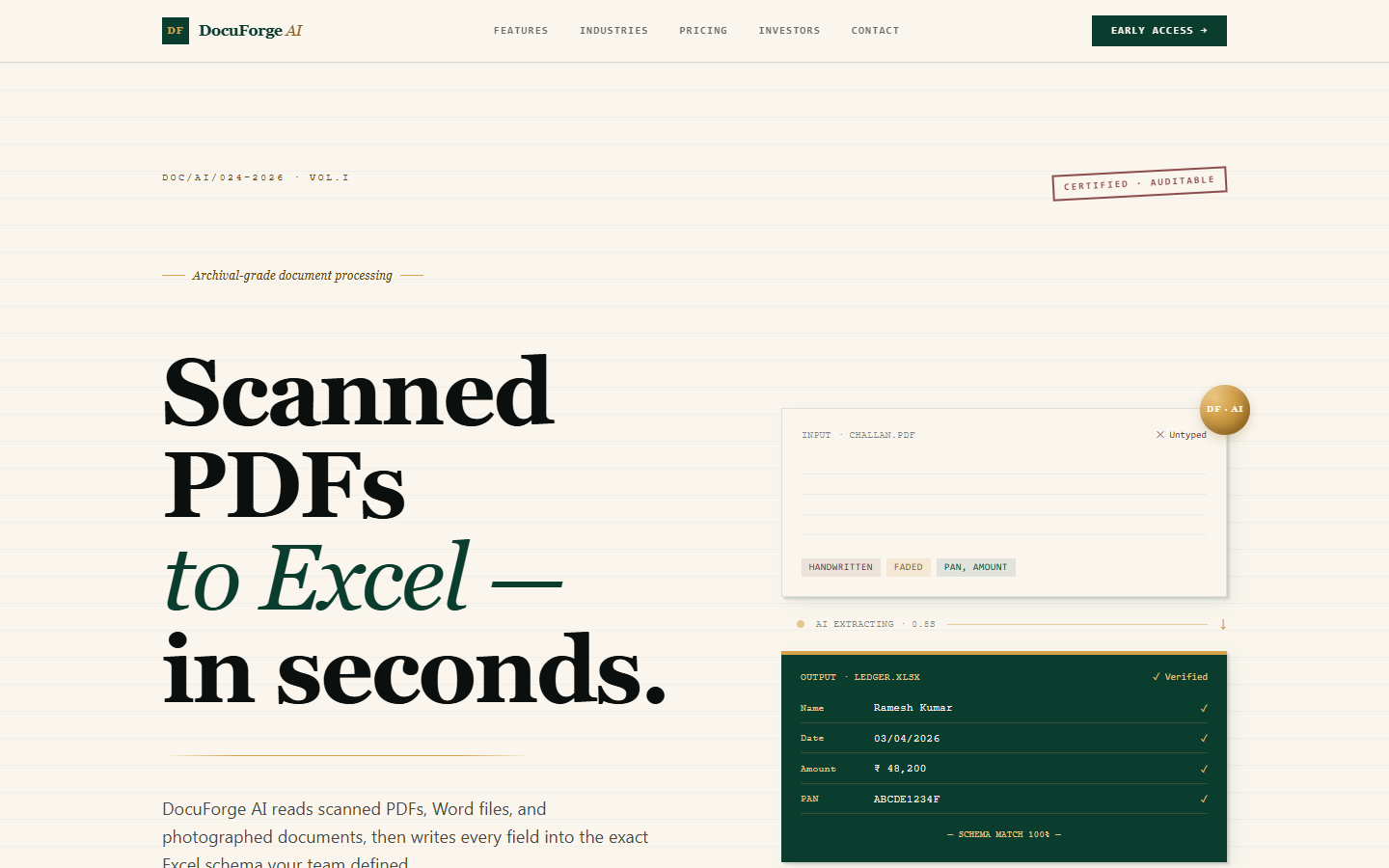
TL;DR: DocuForge AI is an intelligent data-entry platform that reads scanned PDFs, Word files, and photographed documents, then maps every field into the exact Excel schema you define. A vision-and-language pipeline does the extraction, row-level confidence scoring flags only the rows that genuinely need a human, and you export clean .xlsx, .csv, or Google Sheets with a full audit trail behind every value.
What DocuForge AI Actually Is
DocuForge AI is a document-to-spreadsheet engine. You upload the messy inputs your operation already deals with — scanned PDFs, Word documents, or photos snapped on a phone — and it returns structured data in the shape you asked for, not a generic dump you then have to reshape yourself.
The defining idea is the custom Excel schema. Before processing, you tell DocuForge the columns you expect: invoice number, claimant name, policy ID, date of service, line-item totals — whatever your downstream system needs. DocuForge then maps extracted fields into that schema per user, so two teams uploading the same document type can each get the layout their own workflow requires.
This is one of several internal tools and AI products Krapton ships alongside client work; you can see the full lineup of Krapton products and where DocuForge fits.
The Problem It Solves
Manual data entry is expensive in a way that rarely shows up cleanly on a budget line. It is slow, it scales linearly with volume, and it is error-prone precisely when documents are hardest to read. A single transposed digit on a policy number or a misread total can ripple through reconciliation, billing, and compliance for weeks.
DocuForge AI attacks the root cause: the typing itself. Instead of a person reading a document and a person typing it into Excel, the pipeline reads the document and produces the spreadsheet. Humans stay in the loop — but only where they add real value, reviewing the handful of fields the system is not confident about rather than re-keying every line that was already perfectly legible.
Who It Is For
DocuForge AI is built for teams whose day is shaped by paperwork volume:
- Finance and accounts teams processing invoices, statements, and remittance advice into ledgers.
- Insurance back-offices turning claims forms, policy documents, and supporting evidence into structured records.
- Legal operations extracting fields from contracts, filings, and scanned case files.
- Healthcare administrators converting intake forms and historical records into a usable schema.
The common thread is repetitive, structured extraction at volume — where the document type is predictable enough to define a schema, but the source files are inconsistent enough that a naive OCR pass alone would fall over.
Key Capabilities
DocuForge AI is more than an OCR wrapper. The capabilities that matter in production are the ones that let you trust the output without re-checking all of it:
- Drag-and-drop ingestion for PDF, Word, and image files — including photographed documents, not just clean digital scans.
- Custom Excel schema mapping per user, so output lands in the exact columns your workflow expects.
- Row-level confidence scoring, so every extracted row carries a signal about how sure the system is.
- A human-in-the-loop review queue that surfaces only the low-confidence rows for verification.
- Auto-highlighting of unreadable or archaic words, with the precise row number and an inline preview of the source.
- Bulk processing with progress tracking, so large batches run unattended.
- Export to .xlsx, .csv, or Google Sheets, fitting whatever lives downstream.
- An audit trail for every extraction, so each value can be traced back to its source document.
Under the Hood
DocuForge AI pairs a vision model with a language model in a single extraction pipeline. The vision stage handles the messy reality of scanned and photographed input — skew, noise, stamps, mixed handwriting and print. The language stage interprets what was read, resolves it against the target schema, and decides where each value belongs rather than just emitting a flat block of text.
The product is built on Next.js for the interface and Python for the document-processing pipeline, with OCR, vision AI, and an LLM working together as a Document AI workflow. If your own team is weighing a build like this, our AI development services cover exactly this kind of vision-and-language integration end to end.
Confidence scoring is what makes the human-in-the-loop model practical. Each row is graded as it is extracted; clean, high-confidence rows ship straight through, and only the rows below your tolerance land in the review queue. Unreadable handwriting, blurred stamps, or archaic terms are flagged inline with the row number and a preview, so a reviewer can fix one field in context instead of re-reading a whole page.
A Real-World Scenario
Picture an insurance back-office that receives a few hundred scanned claim forms a week, many photographed on phones at varying quality. Today, a team reads each form and types it into a claims spreadsheet — slow, and the errors only surface during reconciliation.
With DocuForge AI, an operator defines the claims schema once, then drags the week's batch in. The pipeline processes the lot with a progress bar, ships the clean rows directly into the .xlsx that feeds the claims system, and routes the dozen genuinely ambiguous fields — a smudged signature line, an old-fashioned term, a blurred date — into the review queue with their previews. A reviewer clears those in minutes. The audit trail records where every value came from. A multi-day typing job becomes an afternoon of light review.
Who This Is (Not) For
DocuForge AI earns its keep on repetitive, schema-shaped extraction at volume. If you process the same document types again and again and can define the columns you want, it is a strong fit. If you handle a handful of wildly different one-off documents a month, or your inputs have no consistent structure to map to a schema, the upfront schema setup may outweigh the time saved — a spreadsheet and a careful human are still hard to beat at very low volume. DocuForge is a workflow replacement, not a one-off magic button.
FAQ
What file types can DocuForge AI process?
DocuForge AI ingests scanned PDFs, Word documents, and images — including documents photographed on a phone, not just clean digital scans. You drag and drop them in, and the vision-and-language pipeline extracts the fields and maps them into the Excel schema you defined. Output exports to .xlsx, .csv, or Google Sheets.
How does DocuForge AI handle unreadable or low-quality documents?
Every extracted row gets a confidence score. Rows the system is unsure about — unreadable handwriting, blurred stamps, archaic terms — are auto-highlighted with the exact row number and an inline preview and routed to a human-in-the-loop review queue. A reviewer checks only those rows in context, while clean, high-confidence rows ship straight through.
Can I control the spreadsheet layout DocuForge produces?
Yes. DocuForge AI uses custom Excel schema mapping per user, so you define the exact columns you want before processing. Extracted fields are mapped into that schema, meaning the output drops straight into your existing workflow instead of forcing you to reshape a generic dump after the fact.
Is there an audit trail for compliance?
Yes. DocuForge AI keeps an audit trail for every extraction, so each value in the final spreadsheet can be traced back to its source document. Combined with the review queue and confidence scoring, that makes it a fit for regulated back-offices in finance, insurance, legal, and healthcare where provenance matters.
Try DocuForge AI
If your team still types scanned paperwork into spreadsheets, DocuForge AI was built to delete that workflow. See it on the DocuForge AI product page or visit the live DocuForge AI site. Want a tailored document-AI build for your stack? You can hire a dedicated Krapton team to design and ship it.