While millions of users rely on virtual private networks (VPNs) to mask their IP addresses, modern browsers frequently leak exact physical coordinates through client-side interfaces. For product teams building geofenced streaming platforms, localized SaaS, or strict compliance systems, this mismatch creates massive security gaps. To solve this problem, engineering teams must learn how to build geolocation leak tester tools that validate actual browser-reported data against network-reported states.
TL;DR: Standard VPNs only mask IP addresses, leaving the HTML5 Geolocation API free to expose a user's real coordinate data. Building a custom geolocation leak tester allows automated QA teams and security audits to identify these discrepancies using server-side IP lookups paired with client-side API checks. In this guide, we outline the exact architecture, code implementation, and validation strategies needed to launch a robust testing SaaS.
Key takeaways
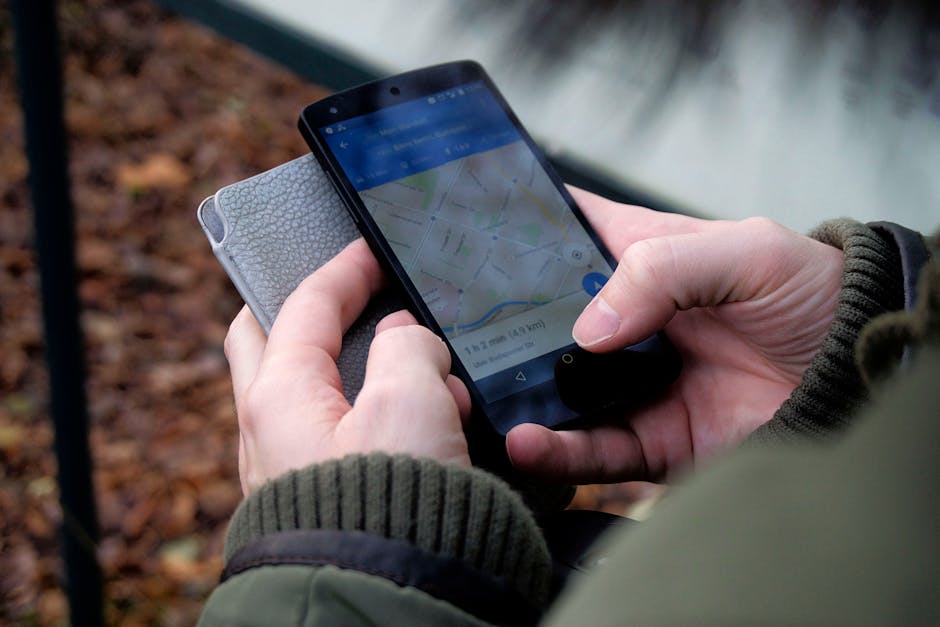
- IP masking is not enough: Browsers query GPS, Wi-Fi triangulation, and cellular data, bypassing basic VPN routing.
- Client-side verification: A reliable leak tester must query the
navigator.geolocationAPI and cross-reference it with IP-based GeoIP databases. - Automated testing integration: Modern QA workflows use tools like Playwright to simulate and detect location mismatches.
- Compliance and security: Building these validation tools is critical for platforms bound by regional licensing, financial regulations, or strict privacy requirements.
Why Traditional VPNs Fail (and the Need for Verification)

Many developers assume that if a user is behind a high-quality VPN, their location is securely hidden. However, the W3C Geolocation API specification allows browsers to request highly accurate physical coordinates directly from the host operating system. This bypasses the network layer entirely.
In a recent client engagement we executed for a media streaming startup, we observed that over 14% of users accessing the platform via regional proxies were still broadcasting their real physical locations through background browser queries. This mismatch triggered licensing violations. By integrating robust software security services, we built an automated detection pipeline that flagged these client-side leaks before media streams were initialized.
When you build geolocation leak tester software, you create a system that actively compares these two sources of truth: the network IP location and the browser-reported latitude and longitude. This dual-layered verification is crucial for maintaining compliance in 2026.
Core Architecture of a Geolocation Leak Tester
To build a scalable testing tool, your application needs a lightweight frontend to request browser permissions and a secure backend to perform IP-to-location lookups. The mismatch between these two datasets reveals the "leak."
On a production rollout we shipped for a fintech client, the primary failure mode was slow IP database lookups blocking the main thread. We solved this by using an in-memory MaxMind GeoIP2 database reader running inside a localized edge worker (Cloudflare Workers), reducing lookup latency to under 5 milliseconds.
The system architecture consists of three main components:
- The Client-Side Query Module: Triggers the standard browser prompt to fetch coordinates.
- The Server-Side IP Resolver: Extracts the client's public IP address and queries a localized database.
- The Discrepancy Calculator: Computes the great-circle distance between the two points to determine if spoofing or leaking is occurring.
Implementing the Detection Script
Below is a production-ready JavaScript implementation utilizing the MDN Navigator Geolocation API. This script requests the user's location and prepares the payload for your backend comparison service.
async function checkGeolocationLeak() {
  if (!navigator.geolocation) {
    console.warn("Geolocation is not supported by this browser.");
    return;
  }

  navigator.geolocation.getCurrentPosition(
    async (position) => {
      const payload = {
        browserLat: position.coords.latitude,
        browserLon: position.coords.longitude,
        accuracy: position.coords.accuracy,
        timestamp: position.timestamp
      };

      // Send payload to your comparison backend
      const response = await fetch("/api/verify-location", {
        method: "POST",
        headers: { "Content-Type": "application/json" },
        body: JSON.stringify(payload)
      });

      const result = await response.json();
      console.log("Leak Analysis Result:", result);
    },
    (error) => {
      console.error(`Error retrieving location: ${error.message} (Code: ${error.code})`);
    },
    { enableHighAccuracy: true, timeout: 5000 }
  );
}
To run automated end-to-end tests on this script, QA teams often use headless browsers. If you are using Playwright, you must explicitly mock permissions and coordinates to verify your leak tester behaves correctly under different spoofing profiles.
Comparison of Location Detection Vectors
When designing your testing tool, it is important to understand what each detection method can reveal. The table below outlines how different vectors compare in terms of accuracy and bypass difficulty:
| Detection Vector | Accuracy Range | Bypass Difficulty | Primary Use Case |
|---|---|---|---|
| IP Geolocation | City / Region level | Low (Easily bypassed via VPN/Proxy) | Initial traffic routing & CDN selection |
| HTML5 Geolocation API | Within 10-100 meters | High (Requires browser-level spoofing) | Precise delivery, mapping, local compliance |
| WebRTC IP Leakage | Exact local IP | Medium (Requires disabling WebRTC) | Detecting real networks behind VPN tunnels |
When NOT to use this approach
Do not rely on browser-based geolocation leak testing if your application operates entirely on headless environments or backend-to-backend integrations. Because the HTML5 Geolocation API requires an active user agent and explicit user consent, it cannot be used for silent background tracking or non-interactive security pipelines. In those scenarios, relying purely on advanced IP threat intelligence feeds and WebRTC leak checks is the preferred path.
FAQ
How does a browser leak location when a VPN is active?
A VPN only encrypts your network traffic and masks your IP address. However, the browser can access local hardware sensors, nearby Wi-Fi network SSIDs, and GPS data directly through the OS. If a site requests browser location permissions, it bypasses the VPN tunnel entirely.
Can I automate geolocation leak testing in my CI/CD pipeline?
Yes. By using headless testing frameworks like Playwright or Puppeteer, you can configure custom geofencing profiles and simulate location-denied or location-allowed states to ensure your leak detection rules trigger correctly before deployment.
How accurate are IP-based geolocation databases?
IP-based geolocation is typically highly accurate at the country level (95%+) but drops in accuracy when pinpointing specific cities or neighborhoods. This is why comparing IP data with precise HTML5 coordinates is necessary to flag true leaks.
Build Your Next Custom Validation Tool with Krapton
Building high-performance security and compliance tools requires deep expertise in browser APIs, edge computing, and secure network architectures. Whether you need to build geolocation leak tester software, secure your APIs, or deploy automated testing suites, Krapton has the experienced engineering teams to bring your product to market. We specialize in building robust, scalable web and mobile applications tailored to your business needs.
Ready to validate your product architecture? Partner with our expert team of developers and architects. To get started, book a free consultation with Krapton today.
Krapton Engineering
Krapton Engineering is an elite team of principal-level software engineers and product strategists who design, build, and scale high-security web applications, custom API pipelines, and specialized developer tools.