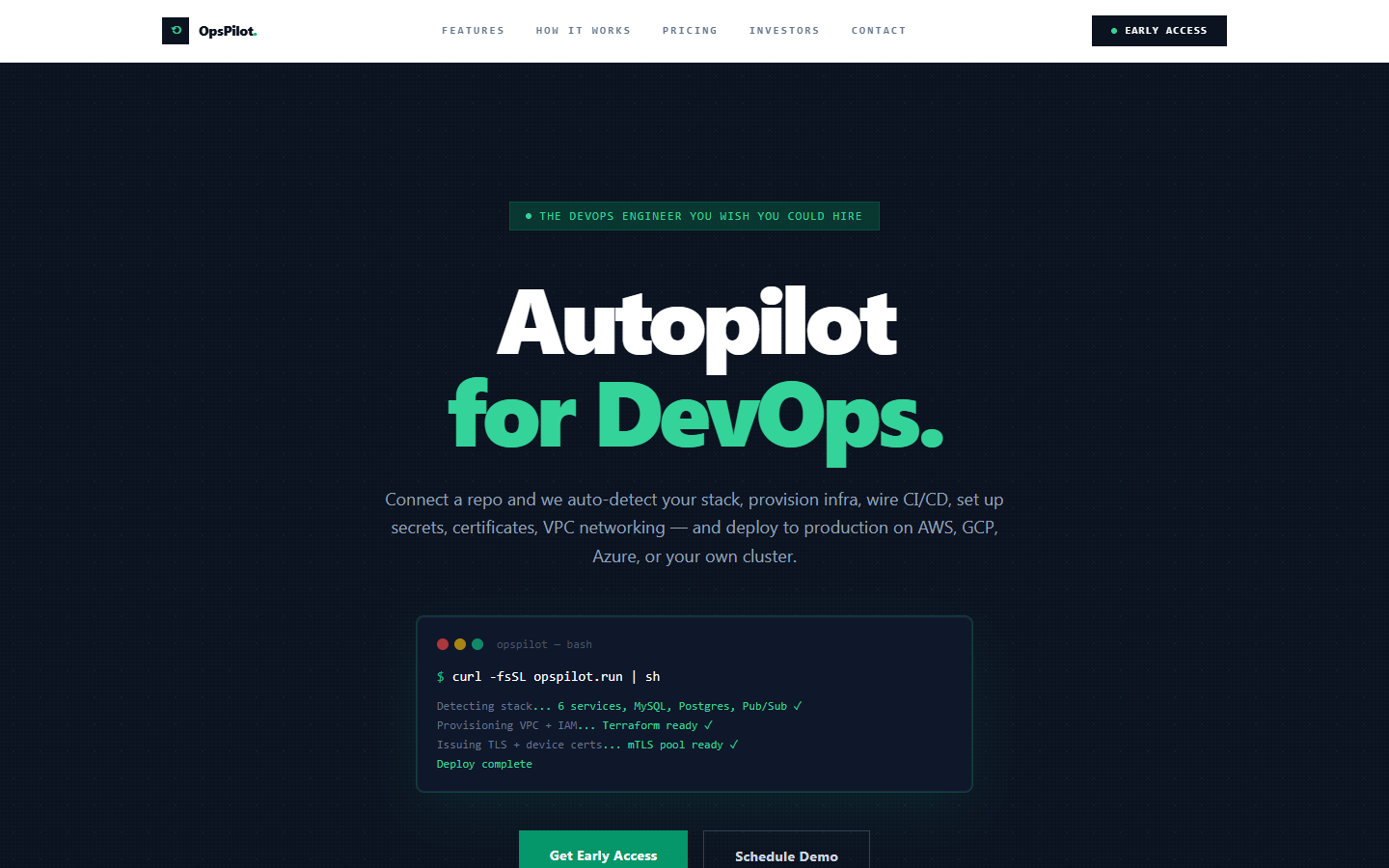
Most small teams do not have a platform engineer. They have a backend developer who learned Terraform under duress, a CI pipeline held together with copied YAML, and a deploy process that lives in one person's head. OpsPilot exists to give those teams the thing they keep almost-hiring: a DevOps engineer that ships from first commit to production without anyone babysitting it.
TL;DR: OpsPilot is an autopilot for DevOps. Point it at a repository and it detects your stack, provisions infrastructure, wires CI/CD, manages secrets, and deploys to AWS, GCP, Azure, or your own cluster. It also generates a one-command local setup for new engineers, with rollbacks, scaling, and cost alerts built in.
What OpsPilot actually is
OpsPilot is a DevOps automation platform that collapses the work of standing up and running production infrastructure into a connected workflow. You connect a repository, and instead of writing pipeline YAML, hand-rolling Terraform, and configuring a secrets store, you get an opinionated path from code to a live, scalable deployment.
It is not a thin wrapper around one cloud. OpsPilot does multi-cloud provisioning across AWS, GCP, Azure, and bare-metal clusters, and it leans on the tooling teams already trust under the hood: Docker, Kubernetes, Terraform, and GitHub Actions. The difference is that you do not have to assemble those pieces yourself or keep them in sync as the project grows.
The problem it solves
Shipping a complex application is rarely blocked by writing the application. It is blocked by everything around it: the deploy that only one person understands, the staging environment that drifted from production months ago, the secret that lives in a Slack message, and the new hire who loses three days getting the project to run locally.
For a team without a dedicated platform group, that overhead is a constant tax. Every deploy carries risk, every rollback is improvised, and every infrastructure change is a small research project. OpsPilot removes that tax by making provisioning, deploys, secrets, and local onboarding repeatable and boring, which is exactly what infrastructure should be.
Who it is for
OpsPilot is built for small and mid-size engineering teams that ship real, multi-service applications but cannot justify a full-time platform team. If your stack is more than a single static site, and your deploys touch databases, queues, environment variables, and more than one cloud resource, this is squarely your problem space.
- Startups shipping a SaaS product where the founders are also the on-call rotation.
- Agencies standing up many client projects on similar stacks and tired of recreating pipelines.
- Product teams that have outgrown manual deploys but are not ready to hire a platform engineer.
- Engineers who want production-grade CI/CD, rollbacks, and observability without owning the plumbing.
Key capabilities
OpsPilot covers the full lifecycle rather than one slice of it. The headline capabilities are designed to remove the work that small teams routinely get wrong under pressure.
- One-click production deploys for complex, multi-service stacks.
- Auto-generated local dev setup that spins up the whole project on a new engineer's laptop with a single command.
- Stack auto-detection across Node, Python, Go, Rust, and more.
- Managed CI/CD pipelines with rollback, plus zero-downtime and blue-green rollouts.
- Multi-cloud provisioning on AWS, GCP, Azure, or bare metal.
- Built-in secrets and environment-variable management.
- Cost alerts and resource-usage insights so spend does not surprise you.
The onboarding feature deserves a callout. When a new developer joins, OpsPilot generates a single command that brings up the entire project locally with the right Node version, the right env vars, databases, queues, and seed data already in place. In our experience, that first day is where most teams quietly burn the most engineering time.
Under the hood: how it works
When you connect a repository, OpsPilot reads the project to detect the language, framework, and service topology. From that it derives the infrastructure you need and provisions it with Terraform, packages your services with Docker, and orchestrates them on Kubernetes where that fits. CI/CD is wired through managed pipelines built on GitHub Actions, so the build, test, and deploy steps live alongside your code rather than in a separate, forgotten system.
Secrets and environment variables are managed centrally instead of scattered across local files and chat history, and they are injected into the right environment at deploy time. Migrations, rollbacks, and scaling are first-class operations, and observability and cost alerting are attached from the start rather than bolted on after the first incident. The result is an infrastructure layer that behaves consistently whether you are deploying to a public cloud or your own cluster.
A real-world usage scenario
Picture a four-person team shipping a SaaS app with a Node API, a Python worker, Postgres, and a Redis queue. Today, deploying means one engineer runs a script nobody else fully understands, and onboarding a contractor takes the better part of a week.
With OpsPilot, they connect the repo once. The stack is detected, infrastructure is provisioned across their chosen cloud, secrets move out of local files into managed storage, and the pipeline ships to production with zero-downtime rollouts and a one-click rollback if a release misbehaves. When the contractor joins, they run a single generated command and have the full environment, databases and seed data included, running locally before lunch. The team keeps shipping product instead of maintaining plumbing.
Who this is not for
OpsPilot is most valuable when there is real infrastructure to manage. If you are deploying a single static site or a simple landing page, a managed host already solves that, and OpsPilot would be more capability than you need. Teams that already run a mature platform group with bespoke, deeply customized tooling may also find an opinionated autopilot more constraining than helpful. It shines in the gap between manual deploys and a full platform team, not at either extreme.
FAQ
Does OpsPilot lock me into one cloud provider?
No. OpsPilot does multi-cloud provisioning across AWS, GCP, Azure, and bare-metal clusters, and it builds on standard tooling like Docker, Kubernetes, and Terraform. Because the infrastructure is expressed in widely used tools rather than a closed format, you keep the option to deploy where it makes sense for your workload and budget.
Do I still need a DevOps engineer if I use OpsPilot?
For many small teams, OpsPilot covers the day-to-day work a DevOps hire would otherwise do: provisioning, CI/CD, secrets, rollbacks, scaling, and cost visibility. It is designed to be the DevOps engineer a small team wishes it could hire. Larger organizations with complex, custom platform needs will still want dedicated engineers, with OpsPilot handling the repetitive groundwork.
How does the local development setup work?
When a new engineer joins, OpsPilot generates a single command that brings up the entire project on their machine. That includes the correct Node version, environment variables, databases, queues, and seed data, so the project is ready to run immediately instead of after days of manual configuration and tribal knowledge.
Is OpsPilot safe to use for production deploys?
OpsPilot is built around production realities: managed CI/CD with rollback, zero-downtime and blue-green rollouts, centralized secrets management, and built-in cost alerts. Migrations and scaling are first-class operations rather than ad-hoc scripts, which is what makes deploys repeatable and reversible instead of risky one-off events.
Ship faster with OpsPilot
If your team is spending more time on plumbing than product, OpsPilot is the autopilot that takes you from first commit to production without hiring a platform team. Explore the OpsPilot product page, try it live at opspilot.krapton.com, or book a free consultation with Krapton to map your DevOps to it. You can also browse our DevOps services to see how we build this in.