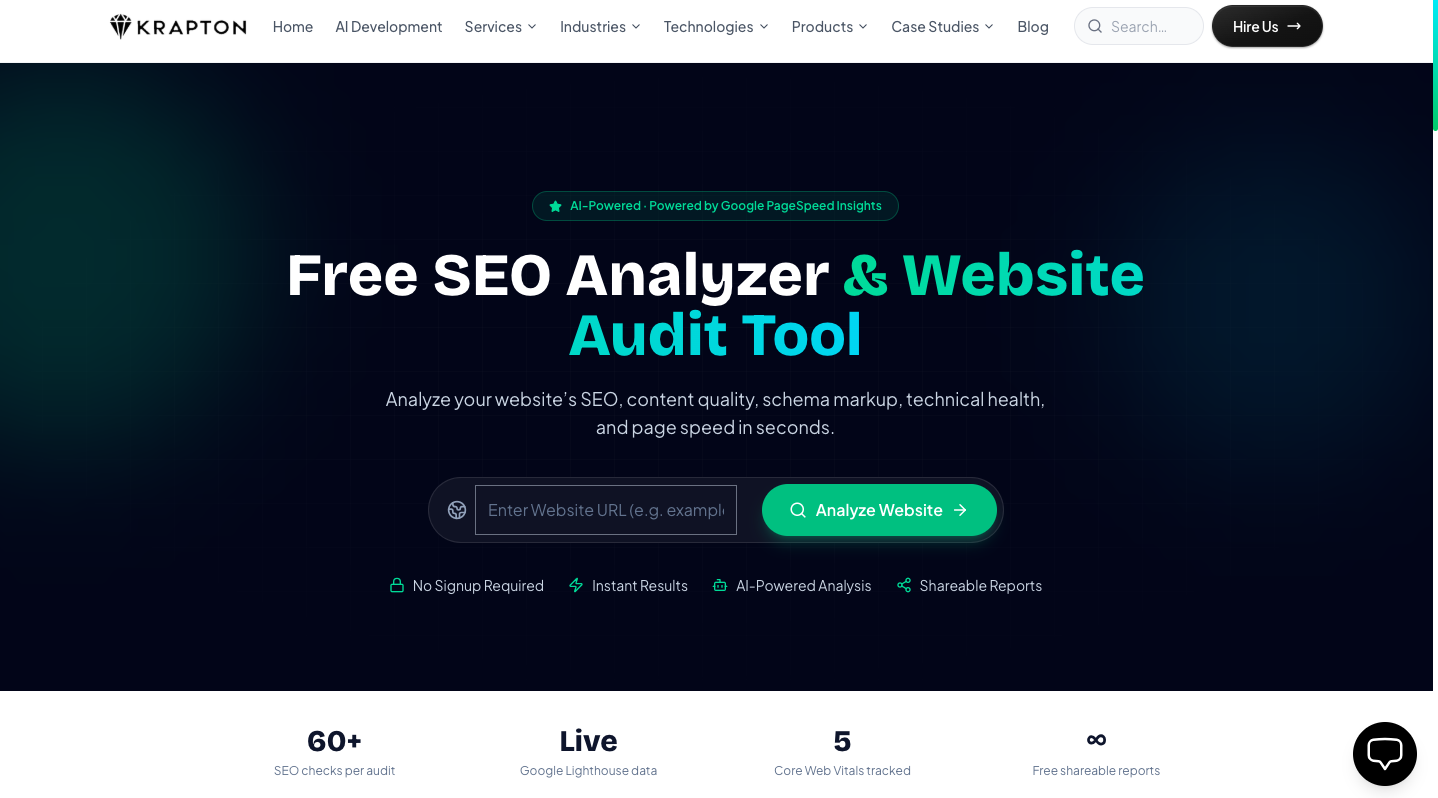
Most website owners only discover their SEO problems after rankings drop. A slow LCP, a broken canonical tag, or missing schema markup can silently suppress organic traffic for months before anyone notices. Krapton's free SEO Analyzer changes that — it runs over 60 automated checks in seconds and delivers a shareable, prioritized audit report at a permanent link, with no account required.
TL;DR: Krapton's free SEO Analyzer is a no-signup website audit tool powered by Google PageSpeed Insights and AI. It checks Core Web Vitals (LCP, INP, CLS, FCP, TBT), on-page SEO, structured data, technical health, and content quality, then generates a plain-language AI summary with prioritized fixes. Results are instant and permanently shareable.
What Does the SEO Analyzer Check?
A good audit tool needs to cover the full stack of ranking signals — not just meta tags. Here's what runs on every report:
Core Web Vitals & Page Speed
The analyzer pulls live data directly from the Google PageSpeed Insights API v5, giving you real Lighthouse scores alongside field data from the Chrome UX Report (CrUX). You see Largest Contentful Paint (LCP), Interaction to Next Paint (INP), Cumulative Layout Shift (CLS), First Contentful Paint (FCP), and Total Blocking Time (TBT) — the five metrics Google uses in its Page Experience ranking signal. Each is benchmarked against Google's published thresholds: LCP under 2.5 s is Good, 2.5–4 s needs improvement, above 4 s is Poor.
In our experience auditing hundreds of client sites, LCP and INP are the two metrics that cause the most damage to rankings while being the least visible to non-technical owners. A hero image without fetchpriority="high", or a third-party chat widget blocking the main thread, is enough to push a site from Good to Poor — and the tool will tell you exactly that.
On-Page SEO
Every on-page signal is checked against current best practice: title tag length (50–60 chars) and keyword placement, meta description length (140–160 chars), canonical tag presence and self-referencing correctness, H1 uniqueness and heading hierarchy (H1 → H2 → H3), image alt text coverage, Open Graph and Twitter Card completeness, and hreflang for multilingual sites. Missing or malformed tags are flagged with the exact fix required — not just a warning light.
Structured Data Validation
JSON-LD schema is one of the most under-utilised on-page signals. The analyzer detects and validates every schema type present on the page: Organization, WebSite, WebPage, Article, BlogPosting, Product, FAQPage, BreadcrumbList, and more. It checks for required properties per the schema.org specification and flags types that would qualify for rich results in Google Search but are missing a required field — for example, an FAQ schema without acceptedAnswer text.
Technical SEO Health
The technical layer covers the foundations that let a page be crawled and indexed: HTTPS enforcement, mobile-friendliness (viewport meta tag, tap-target sizing), robots.txt accessibility, XML sitemap detection, canonical correctness, redirect chains, and broken internal links. A page that fails any of these checks cannot rank regardless of how good its content is.
Content Quality Analysis
Content signals — word count, reading level, keyword density, thin content detection — are scored against thresholds calibrated to Google's quality guidelines. A page under 300 words on a competitive topic, or one where the primary keyword appears zero times in the first 100 words, will be flagged with a specific recommendation. Duplicate content warnings are also raised when the canonical doesn't match the fetched URL.
AI Recommendations
After all checks complete, an AI pass synthesizes the raw findings into a plain-language executive summary and a prioritized action list ranked by estimated ranking impact. Quick wins — things that can be fixed in under 30 minutes and have outsized impact — are separated from strategic improvements. This is the section that non-technical stakeholders find most useful for briefing developers or agencies.
How to Use the Free SEO Analyzer
The tool is designed to be frictionless. There are three steps:
- Paste your URL into the input on krapton.com/seo-analyzer. Any publicly accessible URL works — homepage, blog post, product page, landing page.
- Wait ~10–20 seconds while the engine fetches your page, runs the PageSpeed Insights API call, parses your HTML, and validates your schema.
- Get your report at a permanent, shareable link. Bookmark it, send it to your developer, or download it. No account required at any step.
The permanent link means you can re-run an audit after making fixes and compare reports side-by-side — useful for tracking improvements across a sprint or presenting before/after evidence to a client.
Core Web Vitals: The Metrics That Matter Most in 2026
Since Google's Page Experience update and the subsequent promotion of INP to replace FID in March 2024, Core Web Vitals have become a direct ranking factor. The Web Vitals initiative defines three field metrics that must all be in the "Good" range at the 75th percentile of real users to pass the Page Experience signal:
- LCP (Largest Contentful Paint): How fast the main content loads. Good: ≤ 2.5 s. The most common culprit is an unoptimised hero image or slow server TTFB.
- INP (Interaction to Next Paint): How fast the page responds to user input. Good: ≤ 200 ms. Long JavaScript tasks on the main thread are the primary cause of poor INP.
- CLS (Cumulative Layout Shift): How much content unexpectedly jumps around during load. Good: ≤ 0.1. Ads, embeds, and web fonts without
font-display: swapare the usual suspects.
The SEO Analyzer shows all five Lighthouse lab metrics plus, where CrUX data is available, the real-user P75 field data — the number Google actually uses for ranking. Lab and field data frequently disagree: a page can score 90 in Lighthouse but fail CrUX thresholds because of third-party scripts that don't run in the headless test environment. Seeing both side-by-side is essential for accurate diagnosis.
When NOT to rely solely on Lighthouse scores
Lighthouse scores are a lab measurement — they reflect a single simulated load on a throttled Moto G4 in Chrome. They are useful for catching regressions in CI/CD (e.g., with Lighthouse CI), but they can be misleading for sites with heavy personalisation, A/B tests, or third-party tag managers that only fire in production. For those sites, the CrUX field data in the report — or a dedicated RUM solution like the web-vitals.js library — is the ground truth.
Who Should Use This Tool?
The SEO Analyzer is useful across several roles:
- Developers — catch missing alt tags, broken canonicals, or schema errors before deployment. The technical layer maps directly to things you can fix in code.
- SEO managers & consultants — generate a professional audit report for a client site in seconds, without needing Ahrefs or SEMrush access. The shareable link means the client can revisit the report at any time.
- Founders & product managers — understand the health of your own site without needing to read raw Lighthouse JSON. The AI summary translates technical findings into business-impact language.
- Agencies — run quick pre-pitch audits to identify wins for a prospect, or use the report as a baseline for a new client engagement.
How It Compares to Ahrefs, SEMrush & PageSpeed Insights
Premium tools like Ahrefs and SEMrush are excellent for backlink analysis, keyword research, and rank tracking — but their on-page audit modules are often locked behind a paid plan, run on a crawl schedule rather than on-demand, and don't give you real-time PageSpeed data. Google PageSpeed Insights gives you the performance numbers but no content quality, schema, or on-page SEO context.
Krapton's SEO Analyzer sits in the gap: it's free, on-demand, combines real Google Lighthouse data with on-page and schema checks, and adds an AI synthesis layer. It doesn't replace a full Ahrefs subscription for a large site — but for a single-page audit with no budget and no wait time, nothing else delivers the same coverage.
FAQ
Is the Krapton SEO Analyzer really free?
Yes — fully free, with no signup, no credit card, and no usage cap for normal use. You can audit any publicly accessible URL and share the report with anyone via the permanent link.
How accurate are the Core Web Vitals scores?
The performance scores come directly from the Google PageSpeed Insights API, which uses the same Lighthouse engine and CrUX dataset that Google uses internally. Lab scores reflect a simulated load; field scores (when available) reflect real P75 user experience. Both are shown in the report.
Can I audit competitor websites?
Yes. The tool fetches any publicly accessible URL. Auditing a competitor's homepage is a legitimate and common use case — it tells you exactly where their technical weaknesses are and helps you prioritize your own improvements.
What schema types does the validator check?
The analyzer detects and validates JSON-LD for: Organization, WebSite, WebPage, Article, BlogPosting, Product, Offer, FAQPage, HowTo, BreadcrumbList, Person, LocalBusiness, and SoftwareApplication. It checks required and recommended properties against the schema.org spec and Google's rich result guidelines.
How long does a report stay accessible?
Reports are stored and accessible at their permanent link indefinitely. You can bookmark the URL, share it via Slack or email, or revisit it weeks later to compare against a fresh audit.
Run Your Free SEO Audit Now
Whether you're a developer chasing a green LCP score, an SEO consultant generating a client deliverable, or a founder who just wants to know why traffic isn't growing — the Krapton SEO Analyzer gives you the answers in under a minute. No account. No credit card. No waiting.
Run a free SEO audit on your site right now — and if the report surfaces issues you'd rather hand off to a team that ships fixes fast, hire a dedicated Krapton team to handle them.


